
Table of Contents
- How NFC Stands Work to Boost Customer Engagement
- How to Get More Google Reviews with NFC Stands
- Google Review Request Scripts for Customers
- Where to Place a Review Stand in Your Business
- NFC Review Card vs. QR Code: Which Works Better
- Setting Up Your NFC Stand: Step-by-Step
- Measuring Engagement and Review Results
- Frequently Asked Questions
Last Updated: October 10, 2026
How NFC Stands Work to Boost Customer Engagement
NFC stands serve as physical displays that help customers leave Google reviews with a single tap.

This removes friction: no typing URLs, no searching for your business name, no remembering to do it later.
A spoken request to "leave us a review" is easy to forget once someone walks out the door.
The technology is straightforward. NFC stands for Near Field Communication.
No app download required.
The same card works for hundreds of interactions.
How to Get More Google Reviews with NFC Stands
Getting more reviews starts with removing every barrier between the request and the action.
An NFC stand eliminates that gap. The card is always there, and the process takes seconds.
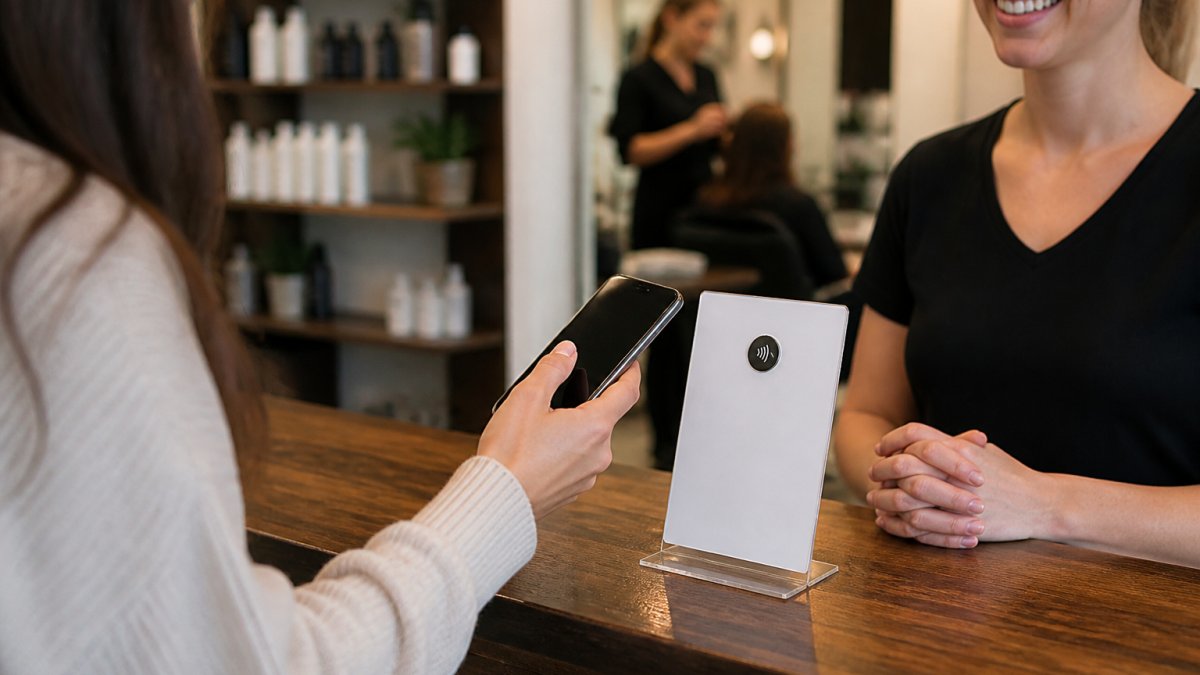
In practice: a customer finishes their appointment or purchase, you say, "We'd love your feedback on Google.
Restaurants and cafes benefit too.
The key is asking consistently. Train your team to mention the stand at checkout or the end of an appointment.
Google Review Request Scripts for Customers
What you say matters. A clear, specific request gets action.
Here are scripts that work for different business types:
For salons and spas: "We really appreciate your business today. Would you mind sharing your experience on Google? Just tap your phone on this card, it takes about a minute."
For restaurants: "Thanks for coming in. If you enjoyed your meal, we'd love a quick review on Google.
For dental and medical offices: "Thank you for choosing us for your care.
For auto repair and detailing: "Your vehicle is all set.
For retail boutiques: "Thanks for shopping with us today. If you loved what you found, we'd appreciate a Google review.
Some customers tap immediately, others later, and some not at all.
Where to Place a Review Stand in Your Business
Location determines how many people see and use your stand, so placement needs to work for customers of different heights, abilities, and phone types.
Best placement spots:
- Checkout counter or register: Customers are already stopping here and thinking about their experience.
- Reception desk: For appointment-based businesses, this is where customers finalize their visit.
- Exit or door area: A final reminder on the way out.
- Service counter: In salons or barbershops, place it where stylists hand off to clients.
What doesn't work:
- Tucked behind a register where staff can't easily show it
- In a back office or employee-only area
- Too high or too low on a surface (keep it at eye level)
- Only with one staff member who remembers to mention it
Placement for accessibility and reach
Not every customer can lean over a counter or reach a wall-mounted stand. A few adjustments widen who can use it:
- Keep the tap zone within reach from a seated position. A stand at table height works better than a wall mount for waiting rooms and reception areas.
- Leave clear space around the stand. A crowded counter makes the tap zone hard to find.
- Use contrast. A stand that blends into a dark counter is easy to miss; light-on-dark or dark-on-light reads faster.
- Add a short instruction line. "Tap your phone here" removes the guesswork.
- Offer a handheld option. Some customers prefer to hold the card themselves; a staff member can hand it over in seconds.
Fallback for phones that don't tap
NFC works on most modern Android phones and iPhones (iPhone 6s and newer with NFC enabled), but not every customer has NFC turned on, and some older phones don't support it. A simple fallback keeps those customers in the loop:
- Print a short URL or QR code on the back of the stand pointing to the same Google review page, so customers who can't tap can scan or type it.
- Train staff to offer the fallback without making the customer feel singled out: "If your phone doesn't tap, you can scan this code right here."
- Test the fallback yourself with a phone that has NFC turned off.
Durability and tamper basics
A stand sits on a counter all day, so it takes some wear. A few practical notes:
- Keep it dry. Wipe with a soft cloth rather than soaking it; moisture around the tap zone can interfere with reads.
- Avoid metal surfaces directly under the card. Metal can disrupt the NFC signal, so a thin plastic or wood base works better than a bare metal tray.
- Check the destination link periodically. If your Google Business Profile URL changes, the card needs reprogramming, confirm the tap still opens the right page every few months.
- Keep a spare on hand for multi-station businesses. One stand per register or service counter means no customer waits for the card to be passed around.
The stand needs to be visible, reachable, and easy to demonstrate so your team can show it in seconds.
NFC Review Card vs. QR Code: Which Works Better
Both NFC cards and QR codes get customers to your Google review page, but the differences matter.
NFC cards:
- Require no camera app or scanning action
- Work instantly when a phone gets close
- No need for good lighting or clear sight lines
- Feel more professional and intentional
- Reusable indefinitely with no wear
QR codes:
- Require opening a camera or QR reader app
- Need clear visibility and good lighting to scan
- Can be printed or displayed anywhere
- Familiar to most customers
- Can wear out or become unreadable
In real-world use, NFC stands offer a streamlined experience: no app to open, no camera angle to line up, customers just hold their phone near the card.
Tapnivo NFC Google Review Card – Tap Your Phone to Leave a Review →
QR codes require extra steps: open camera, point at code, wait for recognition, tap the link. It works, but it's friction.
For a professional business asking for reviews, an NFC stand feels more polished and signals you've invested in making the process easy.
The trade-off is upfront cost: an NFC card costs $40.00.
Setting Up Your NFC Stand: Step-by-Step
Getting your NFC stand ready takes just a few minutes.
Step 1: Order your card with your Google Business Profile link
Step 2: Unpack and inspect the card
Step 3: Choose your placement location
Pick the spot where customers naturally pause. Counter, desk, or table.
Step 4: Tell your team about the stand
Step 5: Start using it with every customer
Make it part of your routine.
Step 6: Monitor your reviews
Check your Google Business Profile regularly to see reviews coming in.
The whole process is straightforward, no technical knowledge, apps, or subscriptions required.
Measuring Engagement and Review Results
You want to know if the stand is working. The good news is you can track it without special software, in a way that respects customer privacy.
What to measure
Your Google Business Profile shows how many reviews you've received and when. Check your review count weekly to see the trend over time.
Before you launch the stand, note your current review count, then check again after two weeks, one month, and three months to see the impact.
A few practical KPIs to track alongside review count:
- New reviews per week. Compare the weeks before launch to the weeks after.
- Review velocity. How quickly reviews arrive after a visit. Same-day reviews usually mean the tap worked and the experience was fresh.
- Average rating trend. A steady stream of honest reviews is more useful than a burst followed by silence.
- Staff mention rate. If mentions drop, reviews usually drop a week or two later.
- Fallback usage. A high fallback rate can signal that some phones aren't tapping.
You can also ask customers directly: "What made you decide to leave a review?" Some will mention the stand, giving you qualitative feedback alongside the numbers.
What to expect
Review volume depends on your customer traffic and how consistently your team uses the stand. A busy salon with 30 customers a day will see more reviews than a boutique with 10, and a team that mentions the stand every time will see more than one that mentions it occasionally.
Most businesses see an increase within the first month, though timing varies. No stand can guarantee a specific number of reviews, the honest ones come from customers who genuinely want to share their experience.
Beyond review count
Reviews aren't just about quantity. Pay attention to what customers say, specific staff members, specific services, recurring patterns.
Use this feedback to improve. If multiple reviews mention wait times, that's actionable. If customers rave about a particular service, highlight it in your marketing.
The stand is a tool for collecting honest feedback while the experience is fresh. The reviews tell you what's working and what needs attention.
Privacy and consent: what NFC does and doesn't collect
A common worry is that tapping a card hands over personal data. Here's the plain version:
- The card itself stores a link, not customer data. An NFC review card is programmed with your Google Business Profile URL and does not read, store, or transmit information from the customer's phone.
- The tap opens a page in the customer's browser. From there, the interaction is between the customer and Google, governed by Google's own terms and privacy policy, not by the card.
- You don't get contact details from a tap. You see the review the customer chooses to publish, the same as any other Google review.
- Consent is the customer's choice. They decide whether to tap, open the link, and publish a review. Nothing is submitted on their behalf.
- Keep your own records simple. Tracking review counts in a spreadsheet is fine; avoid collecting customer names or contact info just because a stand is on your counter.
If you ever add analytics to a landing page behind the card, follow the same rules as any other page: disclose what you collect, keep it minimal, and give customers a clear way to ask questions.
Frequently Asked Questions
How do NFC review stands work with smartphones?
NFC stands use Near Field Communication technology built into most modern smartphones. When a customer holds their compatible phone near the NFC card or stand, the phone detects the stored link and displays a notification. The customer taps that notification to open your Google Business Profile page directly, where they can leave a review without typing your business name or searching for you. No app download is required, the phone's built-in NFC reader handles everything.
What's the difference between an NFC review card and a QR code?
Both NFC cards and QR codes direct customers to your Google review page, but they work differently. QR codes require customers to open their camera app and point it at the code, which can feel clunky. NFC cards are simpler: customers just hold their phone nearby, and a notification pops up automatically. NFC also works in poor lighting, doesn't require the customer to frame anything, and feels more modern. For busy service businesses, the frictionless tap experience of NFC stands offers a streamlined way to collect feedback.
Will older customers know how to use an NFC stand?
Most modern smartphones have NFC capability built in, regardless of the user's age. The process is straightforward: hold the phone close, wait for the notification, tap it. You can train your staff to demonstrate the tap in just a few seconds, and many customers will recognize the interaction from contactless payments they already use daily. A brief verbal instruction, 'Just hold your phone near the card for a second', is usually enough. If a customer's phone lacks NFC, they can still ask for your business link manually or use a QR code as a backup.
How quickly can customers leave a review after tapping the card?
The entire process is nearly instant. When a customer taps the NFC card, their phone opens your Google Business Profile page in seconds (assuming they have an internet connection). From there, they can immediately select a star rating, write their review, and submit it. Most customers complete the review within 1-2 minutes while they're still at your location and the experience is fresh in their mind. This speed is one of the biggest advantages of NFC stands, you capture feedback at the moment of satisfaction, not days later.