
Make it yours.
Choose your pack and share your Google business link when you order. Your cards connect customers to your page.
The tap-to-review card for your business
Turn “I’ll leave you a review” into an easy next step. One tap opens your Google business page, right when your customer is ready to share.
Watch the tap
Hold a compatible phone near the card, then tap the notification to open your connected page. See it happen in this quick video.
Choose your cardsMADE FOR YOUR NEXT GREAT CUSTOMER EXPERIENCE
 THE GOOGLE REVIEW CARD
A closer look, from every angle. Tap a thumbnail to explore.
One card. Everyday possibilities.
Customers tap their phone, open your link, and choose to leave a review. Simple for them. Ready for your business.
See the moment it clicks
Hold a compatible phone near the card. Tap the notification. Your Google page opens.
Customers choose their own rating and submit their review. Google sign-in and an internet connection may be needed.
See the real card
Watch the phone pick up the link, then take a closer look at the card.
Hold a compatible phone near the card, then tap the link notification to open the connected page.
See the card’s design and size in hand.
Simple from the start
Choose your pack and share your Google business link when you order. Your cards connect customers to your page.
Peel the backing and place it where the conversation ends: your counter, reception desk, or checkout area.
Ask customers to share their honest experience. They tap a compatible phone, open the link, and take it from there.
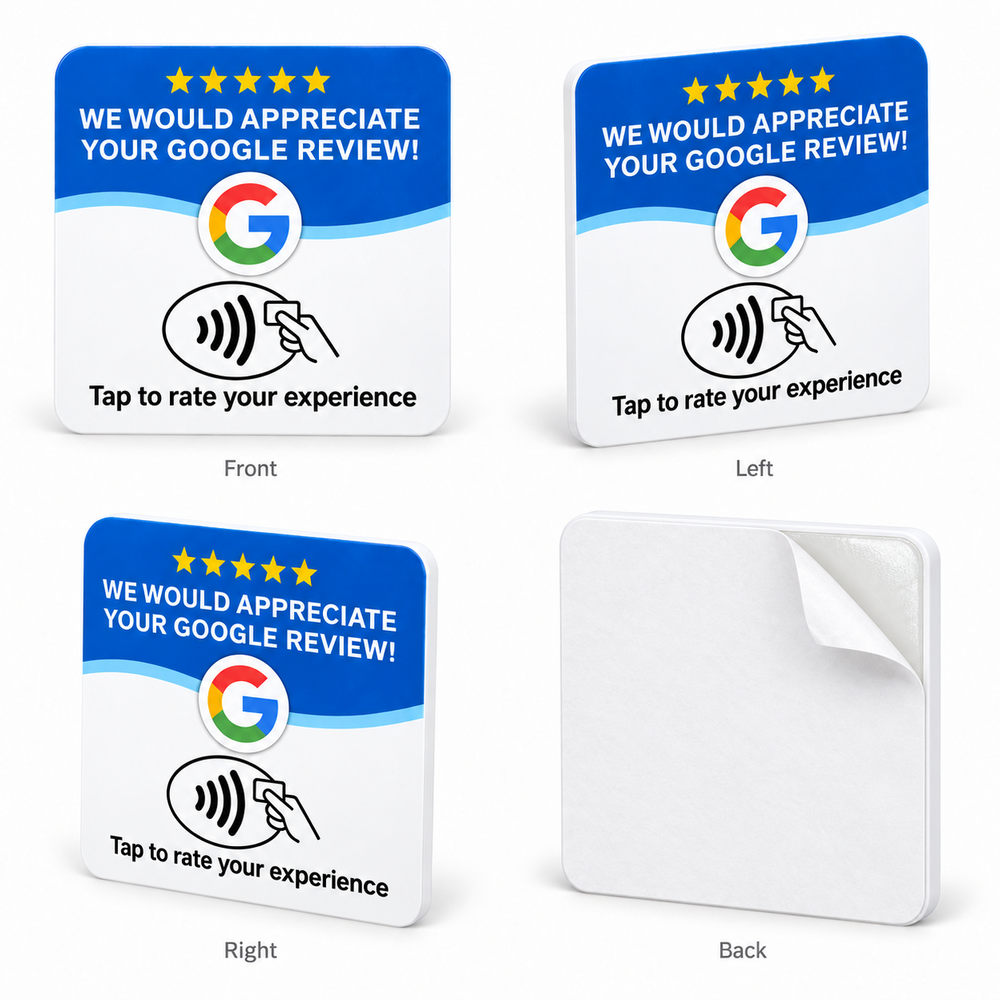
Small footprint. Useful every day.
A simple addition to the places you already meet customers. No charging routine. No monthly Tapnivo bill. Just your business link, ready when you need it.
Made for the people behind the business
Wherever you deliver great service, make sharing feedback feel natural.
Keep a card by the checkout so customers can find your Google page before they leave.
Make it easy to share feedback after an appointment, while the experience is still fresh.
Bring a card to appointments or keep one at reception for your next review request.
A closer look
The familiar review prompt does the explaining. You make the invitation.

A compatible NFC-enabled phone reads the link stored on the card. Your customer taps the notification to open your Google business page, then chooses whether to leave a review.
It works with compatible NFC-enabled iPhones and Android phones. Reading position and settings vary. Unlock the phone, enable NFC if needed, and hold its reader near the card. An internet connection is needed to load Google.
There is no Tapnivo subscription or separate NFC app to download on compatible phones. You buy the card once and reuse it.
Paste your Google Business Profile link in the required field before adding your cards to the bag. Find your business in Google Maps, tap Share, and copy its link. The tutorial beside the field shows you how.
Yes. Peel off the protective liner to expose the adhesive backing. Choose a suitable placement before removing the liner.
No. The card opens your linked Google page. Customers choose their own rating, write their feedback, and submit it themselves. Google may ask them to sign in. Review counts and search rankings are not guaranteed.
Yes. Add each business name and Google profile or website link, then choose how many cards each business needs. Each business starts with one card. We total your cards and apply the matching pack price automatically.
The small business notebook
Learn how NFC stands boost customer engagement and collect Google reviews. Step-by-step setup, placement tips, and why they wor...
Read the guide ↗TAPNIVO GUIDES · Oct 09, 2026Learn how NFC cards simplify customer review collection. Compare NFC vs QR codes, setup steps, and best practices for small bus...
Read the guide ↗TAPNIVO GUIDES · Oct 08, 2026Learn NFC Google review card pricing, setup, and ROI for small businesses. One-time payment, no monthly fees. See how tap-to-re...
Read the guide ↗