
Table of Contents
- What Is an NFC Google Review Card and Why Cost Matters
- How NFC Review Cards Work: Technology Behind the Tap
- NFC Google Review Card Pricing: One-Time Payment, No Monthly Fees
- How to Set Up an NFC Review Card for Your Business
- NFC Review Card With QR Code Integration: Dual Scanning Options
- Calculating ROI: Is an NFC Review Card Worth the Investment?
- Common Setup Issues and Troubleshooting
- Frequently Asked Questions
Last Updated: October 8, 2026
What Is an NFC Google Review Card and Why Cost Matters
An NFC Google review card is a physical card with near-field communication technology that lets customers tap their smartphone to instantly open your Google Business Profile and leave a review, and understanding the NFC Google review card cost helps you decide if it's right for your business. No app, no typing your business name, no long URLs. Just a tap.
For small business owners, the cost of collecting reviews matters because this tool sits at your counter every day. Unlike review software you pay monthly for, an NFC Google review card is a one-time purchase that keeps working indefinitely.
The real question isn't just the price tag. It's whether the card gets used and whether that effort turns into more reviews. Below, we cover setup, troubleshooting, and how to judge whether the investment makes sense.
How NFC Review Cards Work: Technology Behind the Tap
NFC stands for Near Field Communication, a wireless technology that lets two devices exchange data within a few inches.
Here's the exact sequence:
- Customer holds their compatible phone close to the card (the NFC reader location varies by phone model, but it's usually at the top or back)
- The phone recognizes the card and displays a notification or prompt
- Customer taps the notification to open your Google review page
- They sign in to their Google account if needed
- They leave a rating and written review
The card doesn't write or post anything automatically, it's a bridge between the physical world and your digital presence. No internet connection is needed for the tap itself, only to load your Google page once the notification is tapped.
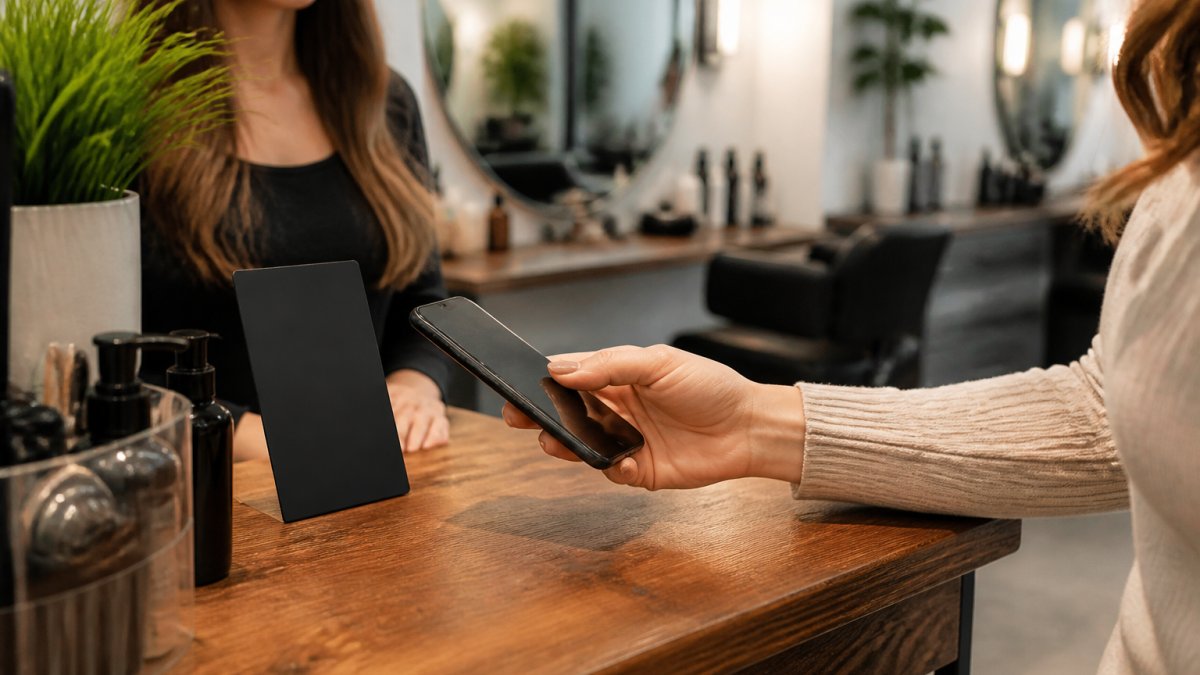
One common concern: will older or non-tech-savvy customers know what to do? Most people have already used NFC without realizing it, contactless payment uses the same technology.
NFC Google Review Card Pricing: One-Time Payment, No Monthly Fees
The Tapnivo NFC Google review card cost is a one-time purchase. You pay once, the card is programmed with your Google Business Profile link, and it keeps working with no monthly subscription, no recurring fees, and no hidden charges.
Here's how the pricing breaks down in practice:
| What you're buying | How it's priced | What you get |
|---|---|---|
| Single card | One-time price per card | One programmed NFC card with QR code backup |
| Multi-card orders | Same per-card price, no subscription added | Extra cards for the counter, the register, and individual team members |
| Replacement card | One-time price per card | A new programmed card if yours is lost or damaged |
| Reprogramming | No recurring charge | A new link written to the card if your profile URL changes |
Because there's no subscription, the cost doesn't grow with time.
Why order more than one card? Most businesses don't run a single checkout lane. A salon might want one at the front desk and one at the styling station; a restaurant might keep one at the host stand and one at the register.
Before you order, count the spots where a customer finishes a transaction. That's usually the front desk, the register, and any team member who handles payment directly. One card per spot is the simplest way to make sure the ask happens every time.
A few practical notes on cost:
- No app to buy. The card doesn't require a companion app.
- No per-review fee. You're never charged for the reviews customers leave.
- No contract. There's nothing to cancel, because there's nothing recurring.
- Reprogramming is not a new purchase. If your Google Business Profile link changes, the card can be updated rather than replaced.
If you want to see current per-card pricing and order options, you can review them at tapnivo.co.

One thing worth being clear about: the card makes it easier for customers to leave an honest review. It doesn't buy reviews or guarantee a certain number of them.
How to Set Up an NFC Review Card for Your Business
Setting up your NFC Google review card takes just a few minutes. Here's what to expect:
Step 1: Order Your Card Purchase your card from Tapnivo at tapnivo.co. During checkout, you'll provide your Google Business Profile URL or your business name so we can program the card with the correct link.
Step 2: Receive and Verify Your card arrives ready to use. Test it by holding your smartphone near the card to confirm it opens your Google review page. NFC reader locations vary by phone, so try a few angles.
Step 3: Place It Where Customers See It Position the card at your checkout counter, reception desk, or with your team members. The more visible it is, the more customers will use it.
Step 4: Train Your Team Brief your staff on how the card works and when to mention it. The best moment is after the customer has paid or finished their service, when they're satisfied and about to leave.
Step 5: Monitor Your Reviews Check your Google Business Profile regularly to see new reviews coming in, which shows how many customers are using the card and what feedback you're getting.
NFC Review Card With QR Code Integration: Dual Scanning Options
A Tapnivo NFC Google review card carries two ways to reach your review page on the same piece of plastic: an NFC chip you tap, and a QR code you scan. Both point to the same Google Business Profile URL, so you're managing one destination, not two.
Tapnivo NFC Google Review Card – Tap Your Phone to Leave a Review →
Why keep both? Because phones and habits vary.
- NFC is the faster path. A customer holds their phone near the card, a notification appears, they tap it, and your review page opens. No camera, no aiming.
- QR code is the universal fallback. Every modern smartphone camera reads QR codes natively, so even a customer whose NFC is turned off still has a way in.
When the two live on the same card, you stop guessing which method your customers prefer. They pick whichever feels natural, and you still get the review.
The DIY vs. Pre-Programmed Question
This is where a lot of business owners get tripped up, and it's worth understanding before you buy.
A blank NFC tag is just a chip with no destination written to it. You can buy them in packs and, in theory, write your own URL using a third-party NFC writing app. That sounds cheaper, and sometimes it is, but it comes with real trade-offs:
- You have to source the right chip. Not every blank tag is compatible with every phone's reader, and the cheap ones vary in reliability.
- You have to write the URL yourself. If the link is wrong, the card is useless until you rewrite it.
- You have to design and print the card. A blank tag is a sticker or a plain disc, not a finished card you'd set on a counter.
- You have to add the QR code separately. A blank tag has no printed QR backup, so you lose the dual-option benefit.
- You own the troubleshooting. If a customer's phone doesn't read it, there's no support line to call.
A pre-programmed card flips all of that. Tapnivo writes your Google Business Profile link to the chip before it ships, prints the matching QR code on the same card, and hands you something you can set on the counter the day it arrives. If something goes wrong, there's a support path instead of a DIY project.
The DIY route can work if you enjoy tinkering and already understand NFC tags. The pre-programmed route is for owners who want the card to just work on day one, with a QR backup already printed and a support contact if anything goes sideways.
What to Check Before You Order
- Confirm your Google Business Profile URL. The card is only as good as the link written to it.
- Decide how many tap points you need. One card per checkout or service station is the common pattern.
- Plan your placement. A card that's visible and within arm's reach gets used; one buried behind the register does not.
If you'd rather skip the DIY route entirely, you can order a pre-programmed card at tapnivo.co.
Calculating ROI: Is an NFC Review Card Worth the Investment?
Deciding whether to invest in an NFC Google review card comes down to a simple question: how much is a new customer worth, and how many extra reviews do you need to attract one? Here's a basic framework:
Step 1: Estimate Your Customer Acquisition Cost (CAC) How much does it cost you to acquire a new customer through marketing, referrals, or word-of-mouth? If you spend $500 on local ads and gain 5 new customers, your CAC is roughly $100 per customer. This varies widely by industry, but it's the baseline we'll use.
Step 2: Estimate the Impact of Reviews on Your Business More reviews, especially positive ones, can influence whether a potential customer chooses you over a competitor. Not every review converts a prospect, but reviews do affect visibility and trust.
Step 3: Calculate the Card's Cost Per Customer At $40 per card, if that card helps you collect additional reviews, and those reviews help you attract new customers, you've essentially acquired a customer (or two) for $40.
Step 4: Consider the Lifespan An NFC card lasts for years. If it keeps generating reviews with no additional investment, the ROI compounds. A card that costs $40 upfront but generates reviews for three years is even more cost-effective.
This framework isn't a guarantee, results depend on your industry, location, customer base, and how actively you promote the card. But it shows why even a modest increase in review volume can justify the investment.
Common Setup Issues and Troubleshooting
Issue: Phone doesn't recognize the card Not all phones have NFC enabled by default. For iPhones, NFC is typically active by default. For Android, go to Settings > Connected Devices or Wireless & Networks and enable NFC.
Issue: Card opens the wrong page or no page at all This usually means the card wasn't programmed with the correct Google Business Profile URL during setup.
Issue: QR code isn't scanning Ensure the QR code area is clean and not damaged. If it's laminated, make sure the lamination doesn't have glare that interferes with scanning.
Issue: Card isn't generating many reviews Placement and promotion matter. If the card is hidden at the back of your desk, customers won't use it.
Getting customer reviews doesn't have to be complicated. An NFC Google review card removes the friction that keeps people from leaving feedback.
Frequently Asked Questions
How much does an NFC Google Review Card cost?
Tapnivo's NFC Google Review Card is $40 for a single card, with discounted bulk pricing available for multiple cards. This is a one-time purchase with no monthly subscription or hidden fees. You own the card outright and can reuse it indefinitely with different customers. The price covers the NFC chip, programming to your Google Business Profile, and the physical card itself.
Do NFC Google Review Cards require a monthly subscription or ongoing fees?
No. NFC Google Review Cards from Tapnivo have no monthly fees, subscriptions, or recurring charges. You pay once and the card works permanently. There are no app fees, platform charges, or maintenance costs. This makes them ideal for small businesses managing tight budgets. Replacement cards are available if a card is damaged, but there's no requirement to purchase them.
How do I set up an NFC review card and how long does it take?
Setup is straightforward: provide your Google Business Profile link when ordering, and Tapnivo programs the card to connect directly to your review page. Once you receive the card, place it at your checkout, reception desk, or with your team. Customers simply hold their NFC-enabled smartphone near the card, tap the link notification that appears, and they're taken to your Google review page. No additional setup on your end is required, no apps to download, no accounts to manage.
Can an NFC review card also use a QR code as a backup option?
NFC technology and QR codes serve the same purpose but work differently. NFC cards use built-in chips that communicate with compatible smartphones when held nearby, while QR codes require customers to open a camera app and photograph the code. An NFC review card with QR code integration combines both methods on one card, giving customers flexibility. This dual-option approach accommodates older phones without NFC capability and customers who prefer scanning over tapping.