
Table of Contents
- NFC vs QR Code for Google Reviews: The Quick Comparison
- How NFC Tap-to-Review Works
- How QR Codes Work for Reviews
- Ease of Use: Tap-to-Review vs Scan-to-Review
- How to Get More Google Reviews With Either Method
- NFC Google Review Card Setup: What to Expect
- Google Review Card Best Practices for Counters and Front Desks
- Troubleshooting and Limitations of NFC vs QR Codes
- Conclusion
- Frequently Asked Questions
Last Updated: September 30, 2026
NFC vs QR Code for Google Reviews: The Quick Comparison
The choice between an nfc vs qr code for google reviews comes down to one question: how much friction will your customer tolerate? At Tapnivo, we build tap-to-review cards, and we'll be honest, NFC wins on speed, QR wins on universal compatibility. This guide breaks down exactly where each method helps and where it fails.
NFC (Near Field Communication) is a contactless technology that lets a phone read a small chip from a few centimeters away, while a QR code is a printed square a camera must scan. Both can open your Google review page. They differ in speed, hardware, and how customers actually behave at your counter.

Here's what most guides get wrong: they treat this as a pure tech question. It isn't. It's a customer experience question, and the answer changes depending on who walks through your door.
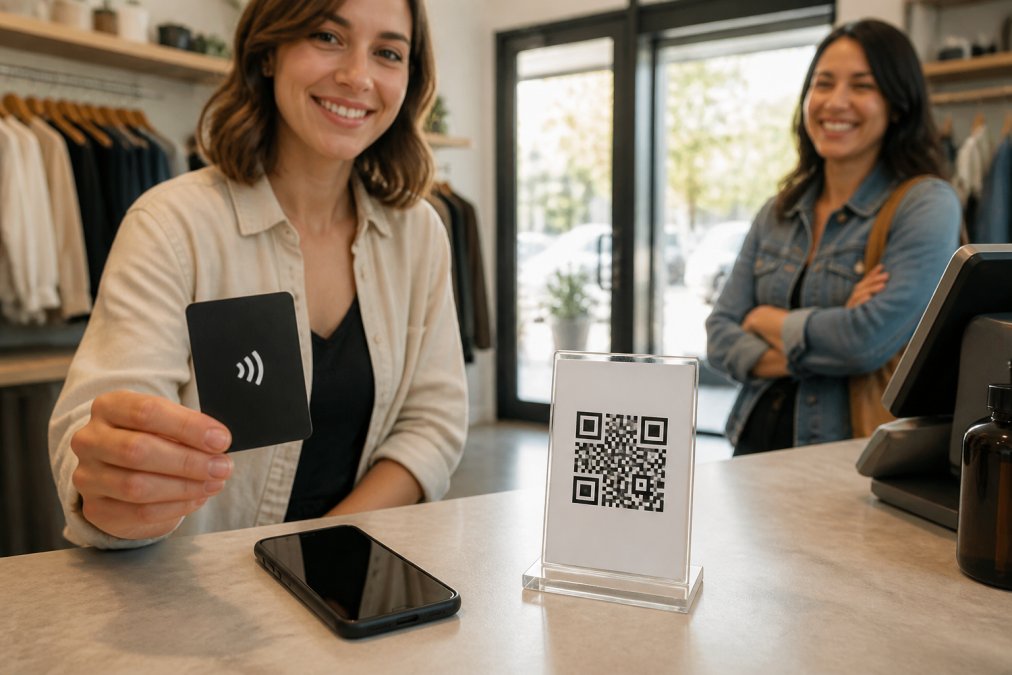
| Factor | NFC Card | QR Code |
|---|---|---|
| Action needed | Tap phone to card | Open camera, scan, tap link |
| Works on older phones | No, needs an NFC reader | Yes, most smartphones |
| Time to review page | A few seconds | Longer, more steps |
| Durability | Reusable, no printing | Reprints when worn |
| Ongoing cost | One-time purchase | Printing costs over time |
| Typical read distance | About 1-4 cm (roughly an inch) | Several inches to a couple of feet, depending on code size and camera |
| Works in low light | Yes, no camera involved | Often fails; camera needs light to focus |
| Works through a surface | Yes, through thin plastic or a phone case | No, code must be visible |
| Accessibility for shaky hands or low vision | Tap is a single gross-motor motion | Requires steady aim and focus |
| Accessibility for older phones | Limited to phones with NFC hardware | Broad, including budget and older devices |
| Failure mode | Chip damage or NFC turned off | Smudge, glare, or worn print |
| Best backup | Printed QR on the back of the card | A second code at a different height |
Two rows in that table deserve a closer look, because they're where the real decision lives.
Accessibility. A tap is a single motion: bring the phone near the card. A scan is a two-part motion: aim the camera, then hold steady while it focuses. For customers with shaky hands, low vision, or a phone in a thick case, the tap is usually easier. For customers on an older or budget phone without an NFC reader, the QR code is the only option. Neither method is universally accessible, which is exactly why running both covers more people than picking one.
Failure modes. NFC cards fail when the chip is bent, cracked, or when NFC is switched off in the phone's settings. QR codes fail when the print is smudged, the surface is reflective, or the lighting is dim. Knowing which failure your counter is likely to hit tells you which backup to keep on hand.
How NFC Tap-to-Review Works
An NFC Google review card stores a link to your Google Business Profile on a small chip. When a customer holds a compatible phone near the card, the phone detects the chip and shows a link notification. The customer taps that notification, and your review page opens.
Three things make this work in practice:
- No app download for the customer
- No typing your business name into search
- No camera alignment or lighting issues
The card itself does not write or post anything. Google may ask the customer to sign in first, and the customer always chooses their own rating and words. That keeps the process honest, which matters both for your reputation and for how Google treats your listing.
How QR Codes Work for Reviews
A QR code is a printed square that encodes your review link. The customer opens their camera app, points it at the code, taps the pop-up, and lands on your Google page.
The appeal is obvious: QR codes work on nearly every smartphone made in the last several years, including older devices without NFC readers. The catch is behavioral. Scanning takes more steps, and each extra step is a chance for the customer to lose interest, especially at a busy counter.
Ease of Use: Tap-to-Review vs Scan-to-Review
Tap-to-review is faster for customers with compatible phones. Scan-to-review is more universal. That's the trade-off in one line, but the real story is in the details most guides skip: accessibility, phone age, and what actually happens at the counter.
The accessibility angle. A tap is a single gross-motor motion.
Tapnivo NFC Google Review Card – Tap →
How to Get More Google Reviews With Either Method
Getting more Google reviews comes down to timing and asking. The method matters less than when you ask. The best moment is right after a good interaction, while the experience is still fresh.
A simple routine that works for salons, shops, and service counters:
- Finish the service or sale and confirm the customer is happy
- Say the ask out loud: "If you have a second, would you leave us a review?"
- Hand over the NFC card or point to the QR code
- Wait while they tap or scan, and thank them either way
- Keep the card ready for the next customer
NFC Google Review Card Setup: What to Expect
NFC Google review card setup is simpler than most people expect. You provide your Google Business Profile link when you order, and the card arrives programmed and ready to use. There's no app to install and no account to manage.
Google Review Card Best Practices for Counters and Front Desks
Where the card lives matters as much as what it does. The best spot is within arm's reach of whoever asks for the review, not glued to a wall or buried behind the register.
Practical habits that hold up over time:
- Keep the card clean and undamaged; a cracked or bent card may stop reading
- Place it where staff naturally stand, not where customers browse
- Pair the ask with eye contact and a spoken request
- Use a stand at the register if your team can't hand the card over
- Check the card monthly to confirm the link still opens your page
Troubleshooting and Limitations of NFC vs QR Codes
NFC cards fail in predictable ways, and so do QR codes. Knowing the fixes saves you a bad week.
Common NFC issues:
- Phone doesn't respond: the NFC reader sits in different spots on different phones, so try the top or back of the device
- No link notification: check that NFC is switched on in the phone's settings
- Page won't load: the phone needs an internet connection to open Google
Common QR issues:
- Camera won't focus: smudged or worn codes fail, and reprints cost money over time
- Customer can't find the scanner: many phones need the camera app opened first
- Code points to the wrong page: test after any change to your listing
Conclusion
The honest answer is that NFC wins on speed and QR wins on reach, and the businesses that collect the most reviews often use both. What matters more than the hardware is the ask: a clear, friendly request at the right moment, with the tool ready in your hand. If you want the fastest path for most customers, get started with Tapnivo and put a tap-to-review card at your counter today.
Frequently Asked Questions
How do NFC Google review cards work for customers?
A customer holds a compatible phone near the card, and the phone reads a link stored on it. A link notification appears, the customer taps it, and their browser opens your Google Business Profile review page. They sign in if Google asks, pick a rating, write their review, and submit it. No separate app is needed, and the card never writes or posts anything on its own.
Is NFC or a QR code better for getting Google reviews?
It depends on your customers. NFC tap-to-review removes the step of opening a camera and framing a code, which suits fast counter interactions at salons, cafes, and repair shops. QR codes work on any phone with a camera and cost almost nothing to reprint. Many businesses use both: a card or stand at the register for tap-to-review, and a printed code on receipts for people who prefer scanning.
Do customers need an app to tap an NFC review card?
No. NFC Google review cards use the built-in NFC reading feature on compatible phones, so customers do not download anything. They hold the phone close to the card, tap the link notification that appears, and land on your review page. An internet connection is required to load the page, and the customer still needs a Google account to post a review.
Can I use both NFC and QR codes for my business reviews?
Yes, and it is often the practical choice. Keep a tap-to-review card or stand at the checkout for customers who want the fastest path, and print a QR code on receipts, table tents, or appointment cards for everyone else. Both routes lead to the same Google Business Profile page, so you are simply offering two ways to get there without changing how reviews are collected.