
Table of Contents
- What Is a Google Review Link Generator?
- How to Generate Your Google Review Link (Step-by-Step)
- How to Get More Google Reviews: A Practical Strategy
- NFC Google Review Cards: Tap-to-Review Made Simple
- Google Review Request Templates That Work
- Review Request Compliance: What You Need to Know
- Conclusion
- Frequently Asked Questions
Last Updated: September 21, 2026
What Is a Google Review Link Generator?
A Google review link generator creates a direct, shareable URL pointing straight to your business's Google review form, so customers can leave feedback without searching for your listing. Instead of saying "search for us on Google Maps," you hand them one link that opens the review box immediately.
The concept sounds simple, and it is. But the gap between having a link and actually collecting reviews comes down to friction. Every extra step a customer takes, the less likely they are to finish. Google's own guidance on managing your Business Profile and reviews makes clear that reviews influence how your listing performs in local results, which is why removing even one step matters.
A link alone does nothing. You still have to ask, and make the ask easy when the customer is happiest.
How to Generate Your Google Review Link (Step-by-Step)
You do not need paid software to build a basic Google review link. The fastest method uses your Business Profile directly and takes about two minutes.
- Sign in to the Google account that manages your Business Profile.
- Open your listing on Google Maps and select Share.
- Copy the short link Google provides.
- Test it on your own phone to confirm it opens your profile.
- Shorten it further if you plan to print it, using a free URL shortener.
That short link works, but it lands customers on your full profile page, where they still have to scroll to find the review button. For a cleaner result, build a link that opens the review box directly, which requires your Place ID.
Finding Your Google Business Profile Place ID
Your Place ID is a unique code Google assigns to your business location. It is the key to building a review link that skips straight to the review form.
To find it, use the Google Maps Place ID Finder. Type your business name into the search box, click your listing on the map, and the tool displays your Place ID in a small popup.
How to Get More Google Reviews: A Practical Strategy
Getting more Google reviews is less about the link and more about the system around it. The biggest mistakes are asking too late, by email, days after the visit, and asking once and giving up.
Build a Two-Touch Request Routine
A workable routine for a small business:
- Touch 1 (in person): Train staff to ask every satisfied customer, not just the ones who compliment you. Keep the review link or NFC card visible at checkout, not buried in a drawer.
- Touch 2 (follow-up): If the in-person ask did not land, send a text within an hour. Response rates drop sharply the longer you wait.
That two-touch pattern is the backbone. Everything below is how you scale it without hiring more staff.
Automate the Follow-Up Without Losing the Personal Touch
Most review link tools stop at handing you a URL. The real utility is wiring that URL into tools you already use, so the follow-up happens whether or not you remember to send it.
A few patterns that work for small teams:
- Point-of-sale trigger: Many POS and scheduling platforms (Square, Clover, Mindbody, and similar) can fire a post-visit email or text automatically. Paste your review link into that template once and it runs on every transaction.
- CRM sequence: Add the review link as a step in your new-customer or post-service workflow, set to send a few hours after the appointment.
- Email marketing: Add the link to your post-purchase email and a quarterly 'thanks for being a customer' note. Keep it one link, one call to action.
- SMS: Text has the highest open rate for a short, personal ask. Keep it under 160 characters.
What Actually Moves Click-Through on a Review Link
Conversion rate optimization for review requests comes down to a few levers:
- Timing: Send within an hour of the visit for service businesses, or the same day for retail.
- Specificity: 'Would you leave us a quick Google review?' beats 'Let us know how we did.' Name the platform and the action.
- Time commitment: Tell them it takes about 30 seconds.
- One link only: Multiple links split attention and kill response rates.
- Personal sender: A message from a named staff member or owner outperforms a generic 'The Team' sender.
Respond to Every Review
A thoughtful reply to a critical review often does more for trust than ten five-star ratings, yet review response is where many businesses quietly drop the ball.
A simple response framework:
- Positive reviews: Thank them by name, reference something specific from their visit, keep it short.
- Critical reviews: Acknowledge the issue, apologize without excuses, state what you are doing about it, and invite them to contact you directly.
- Fake or mistaken reviews: Respond professionally and, if the review violates policy, flag it through your Business Profile rather than arguing in public.
NFC Google Review Cards: Tap-to-Review Made Simple
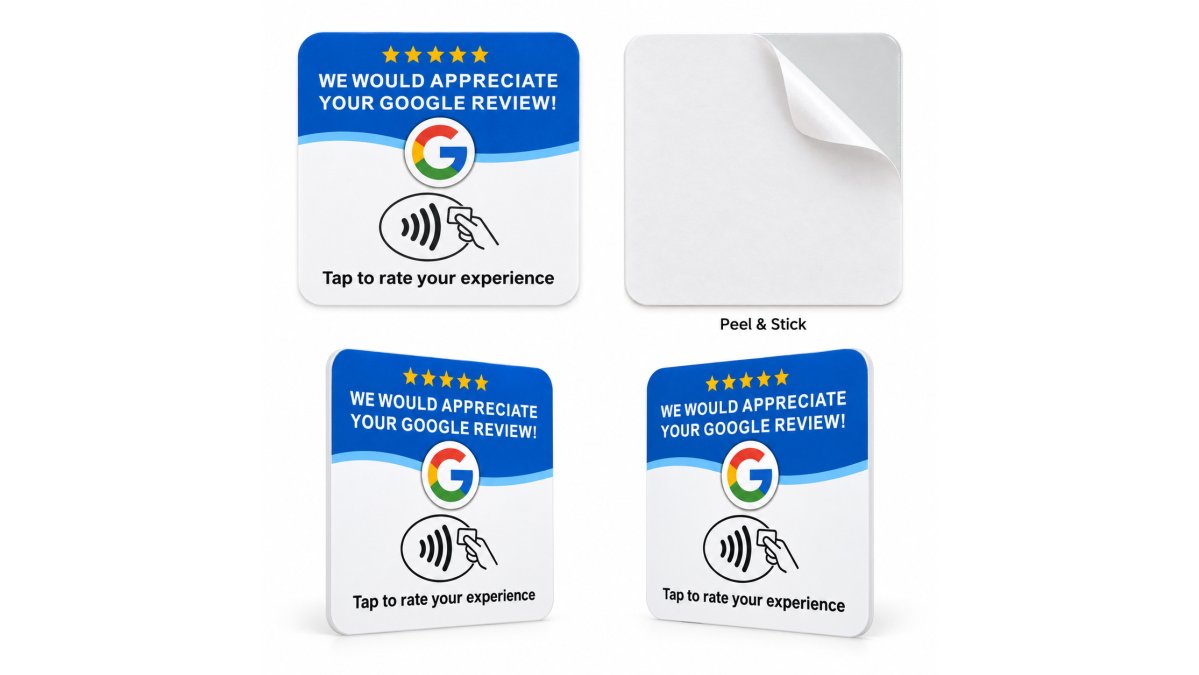
NFC Google review cards solve the friction problem that links and QR codes leave behind. A customer taps their phone on the card, and your review page opens automatically. No typing, no searching, no app to download.
Google Review Request Templates That Work
A good review request is short, specific, and easy to say out loud. Long scripts sound robotic, and customers tune out.

Review Request Compliance: What You Need to Know
Google's review policies exist to keep reviews honest, and breaking them can cost you every review you have collected. The penalties are real: filtered reviews, a suspended Business Profile, or a listing that quietly stops showing new reviews.
The core requirements:
- Do not offer incentives of any kind for reviews
- Do not ask only happy customers and filter out unhappy ones, a practice known as review gating
- Do not write reviews for your own business or ask staff and family to do so
- Do not post fake or copied reviews
- Let customers write whatever rating and words they choose
What Review Gating Actually Looks Like
Review gating is the most common accidental violation, because it hides inside a well-intentioned workflow: a customer is asked 'How was your visit?' and only the ones who answer positively are routed to the Google review link, while everyone else gets a private feedback form.
The FTC Rules on Endorsements and Reviews
The Federal Trade Commission's guidance on endorsements and reviews governs how you present reviews publicly, and it applies to small businesses, not just big brands. The practical takeaways:
- Quote real reviews only. If you feature a customer review in advertising, social posts, or your website, it must reflect a real experience from a real customer.
- Do not edit meaning. You can trim for length, but you cannot change what a review says or imply a rating the customer did not give.
- Disclose material connections. If a reviewer is an employee, a vendor, or received anything of value, that relationship needs to be disclosed.
- Keep records. If a review is challenged, being able to show where it came from protects you.
A Simple Compliance Checklist
Before you print a card, send a text, or run an email campaign, run through this:
- Is the ask going to every customer, not just the happy ones?
- Is there any incentive, discount, or gift tied to leaving a review?
- Does the review link open the review form without pre-selecting a rating?
- Are staff and family excluded from leaving reviews?
- If a review is quoted in marketing, is it real and unedited in meaning?
Conclusion
The hardest part of collecting Google reviews is not building the link. It is getting customers to use it before they walk out the door. Every step you remove between a happy customer and your review page increases the odds they follow through.
Frequently Asked Questions
How do I create a direct link for Google reviews?
Open your Google Business Profile on Google Maps, click Share, and copy the short link. For a more direct review link, use a generator that combines your Place ID with Google's review URL format. You can find your Place ID through the Google Maps Place ID Finder tool. Once you have the link, test it on your phone to confirm it opens the review form correctly.
Is there a free tool to generate a Google review link?
Yes, several free tools exist that generate a direct Google review link from your Place ID. You can also create one manually by copying your Google Business Profile link and appending the review parameter. The key is to test the final link on a mobile device to make sure it opens the review form rather than just your listing page.
How can I make it easier for customers to leave a review?
Reduce the number of steps between your customer and the review form. A direct link or an NFC Google review card lets customers tap their phone and land on your review page without typing or searching. Tapnivo sells NFC cards that work with compatible phones and require no app download. Place the card at your checkout counter or reception desk so it is visible during every interaction.
Do I need a Google Business Profile to create a review link?
Yes. A Google review link points to your Google Business Profile listing. Without a verified and active profile, there is no review page for customers to reach. If you have not set one up yet, create and verify your profile first, then generate your review link.