
Table of Contents
- How NFC Review Cards Work: The Tap-to-Review Process
- Do NFC Review Cards Actually Work? The Honest Answer
- NFC Cards vs. QR Codes: Which Gets More Taps
- How to Get More Google Reviews With a Tap Card
- Best Practices for Google Review Requests at Checkout
- Troubleshooting NFC Review Cards: Common Issues and Fixes
- Tracking Taps and Reviews: What You Can and Cannot Measure
- Conclusion: Setting Realistic Expectations
- Frequently Asked Questions
Last Updated: October 4, 2026
How NFC Review Cards Work: The Tap-to-Review Process
Do NFC review cards actually work? Yes, they work as a shortcut. An NFC review card is a physical card with a small chip inside that sends a phone straight to your Google review page with one tap. The card does not write a review for anyone. It simply removes the typing.

Here is the full sequence, step by step.
What Happens on the Customer's Phone
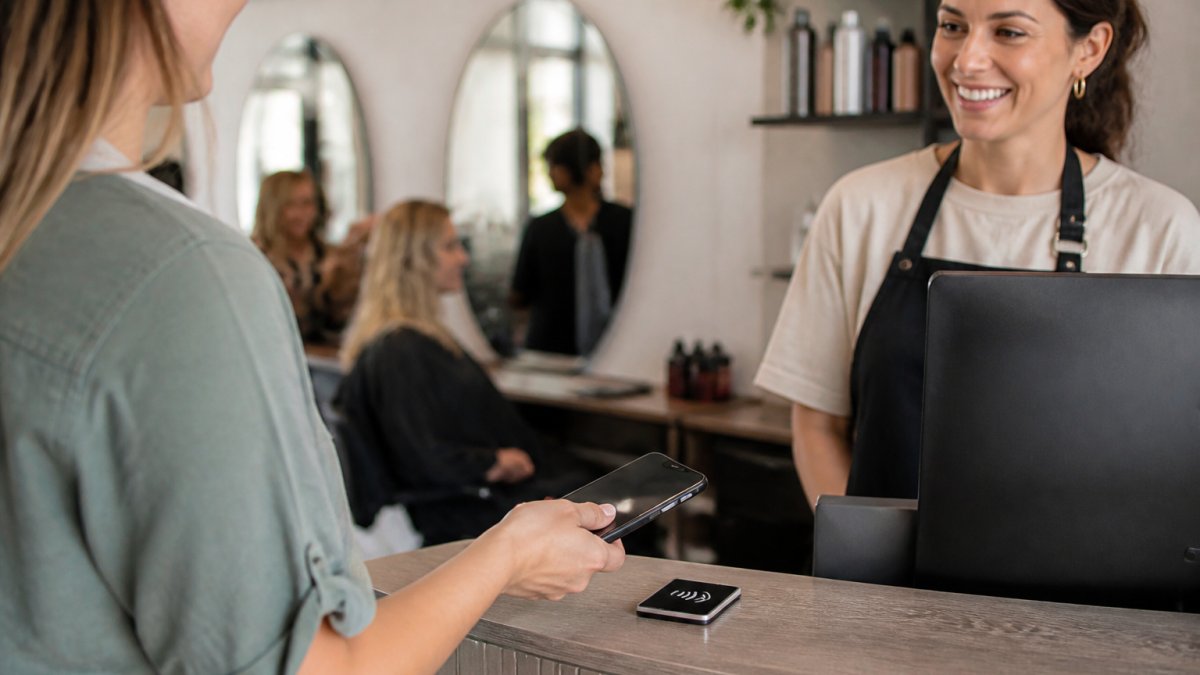
The customer holds a compatible phone near the card. The phone's built-in NFC reader detects the chip and shows a link notification on screen. The customer taps that notification, and your Google Business Profile page opens in their browser. Google may ask them to sign in first. Then they pick a rating, write what they want, and submit it. The whole exchange takes seconds, and an internet connection is needed to load the page.
Do NFC Review Cards Actually Work? The Honest Answer
They work when the technology and the ask both happen at the right moment. The tap is reliable on most modern phones. The harder part is human: a customer still has to decide to leave a review.
So the honest answer has two halves:
- The tech half: NFC is mature, fast, and built into most phones sold in the last several years.
- The habit half: the card only helps if your team actually offers it at checkout.
NFC Cards vs. QR Codes: Which Gets More Taps
Both formats do the same job: they hand a phone a URL. The difference is how much work the customer does to get there, and how the hardware behaves over time.
Here is the mechanism behind each.
NFC card: The chip inside is a passive tag. It has no battery. When a phone's reader comes within roughly an inch or two, the phone's radio field powers the chip for a split second, and the chip hands over a small stored record, usually a URL. The phone sees that record and shows a link banner. The customer taps the banner. That is the whole transaction.
QR code: The code is a printed image. The phone's camera has to focus on it, decode the pattern, and then show a link. On a clean, flat, well-lit code this is fast. On a curved receipt, a smudged sticker, or a code behind glass, the camera hunts for focus and the customer waits.
| Feature | NFC Card | QR Code |
|---|---|---|
| Action needed | Tap phone to card | Open camera, aim, scan, tap link |
| Power source | None (passive tag) | None (printed image) |
| Works on older phones | Limited, needs an NFC reader | Yes, any phone with a camera |
| Friction level | Very low | Low to medium |
| Fails when | Case is thick or metal; tag is bent | Code is smudged, curved, or poorly lit |
| Durability | Reusable, wipes clean | Reprints if damaged |
| Best for | Counter and front desk | Printed menus, receipts, table tents |
A few practical trade-offs worth knowing:
- Cases matter more than phones. A thick metal case can block an NFC tap even on a brand-new phone. A QR code does not care about the case.
- Screen-off taps work. Most modern phones read an NFC tag even when the screen is locked, which is why the tap feels instant. A QR code always requires unlocking and opening the camera.
- QR codes degrade. Heat, moisture, and sunlight fade printed codes. NFC tags are sealed in plastic or resin and survive a wipe-down.
If your customers carry newer phones, NFC is the smoother path. If you serve a lot of older devices, keep a QR code as a backup.
How to Get More Google Reviews With a Tap Card
More reviews come from timing, not pressure. Ask while the experience is still fresh, and make the ask easy to accept.
A simple routine:
- Finish the service or sale.
- Say, "If you have a minute, tap your phone here and share your experience."
- Slide the card toward them.
- Thank them either way.
That last step matters. A customer who feels pushed may leave a worse review than no review at all. Your goal is honest feedback, not a specific star rating. Google's own guidance on Google Business Profile reviews is clear that reviews should reflect real experiences.
Where to Place the Card for the Best Scan Rate
Put the card where the transaction ends. That is the moment the customer is still thinking about you.
Good spots:
- Checkout counter, next to the card reader
- Reception desk at a salon or clinic
- Front desk at a repair or detailing shop
- Waiting area, within arm's reach
Skip spots where people rush past, like a doorway. Placement is about catching attention at a pause, not a walk.
Best Practices for Google Review Requests at Checkout
Short, warm, and optional beats long and rehearsed. Here is what works in practice.
- Ask in person, then hand over the card.
- Keep the card clean and facing the customer.
- Mention that it takes a few seconds.
- Never offer money or discounts for a review.
- Never write a review on a customer's behalf.
That last point is not just etiquette. The Federal Trade Commission's rules on endorsements require reviews to reflect genuine opinions, and fake reviews can carry real penalties. A tap card keeps you on the right side of that line because the customer writes everything themselves.
Tapnivo NFC Google Review Card – Tap Your Phone to Leave a Review →
Troubleshooting NFC Review Cards: Common Issues and Fixes
Most problems have simple causes. Work through this list before assuming the card is broken.
| Problem | Likely Cause | Fix |
|---|---|---|
| Nothing happens on tap | NFC turned off in phone settings | Turn on NFC in settings |
| Phone buzzes, no link | Tap was too quick | Hold phone near card for a second |
| Works for some, not others | Older phone lacks NFC | Offer a QR code backup |
| Card stopped working | Physical damage to chip | Replace the card |
| Link opens wrong page | Outdated profile link | Update your card's link |
Hardware failure is rare but real. Cards get bent, soaked, or run through a washer. Treat a card like a key fob: keep it flat, dry, and away from heavy heat. If a card dies, that is a replacement cost, not a monthly one.
A second cause of "failure" is the phone itself. Some cases, especially thick metal ones, block the signal. Ask the customer to lift the phone slightly or remove the case.
Tracking Taps and Reviews: What You Can and Cannot Measure
Most guides stop at 'you're unable to track taps.' That is true for the card itself, a passive tag has no battery and no connection, so it cannot phone home. But you can still measure the funnel if you set it up deliberately. Here is how.
What the card cannot do
The card cannot count how many people tapped it. It cannot tell you who tapped, when, or whether they finished the review. It is a tag, not a sensor.
What you can measure with a short link
You can route your card through a link you control. Instead of pointing the tag straight at your Google review page, point it at a short link or redirect you own, then forward visitors to Google. That redirect logs the click before the handoff.
A common setup:
- Create a short link or redirect for your review page.
- Add UTM parameters to the destination so your web analytics can separate card traffic from other sources.
- Write that short link to the NFC tag.
- Check your analytics weekly for click counts.
This gives you a rough tap count, not a perfect one, because some clicks never become reviews, and some customers may tap twice. But it turns a blind spot into a directional signal.
What Google gives you for free
Your Google Business Profile already reports review volume and average rating over time. That is your ground truth. Pair it with the short-link click count and you get two numbers:
- Clicks: how many people engaged with the card.
- New reviews: how many actually posted.
The gap between them is your conversion rate. If clicks are high and reviews are flat, the problem is usually the ask, not the card. If clicks are low, the problem is placement or awareness.
A simple tracking sheet
You do not need software. A spreadsheet with four columns works:
| Date | Clicks (from short link) | New reviews | Who was on shift |
|---|
Patterns show up within a few weeks. You will start to see which shifts, which staff, and which placement produce the most reviews, and which ones need a nudge.
For a broader view of how reviews feed local search, see Google's documentation on local ranking. Reviews are one signal among several, so treat them as part of the picture, not the whole thing.
Conclusion: Setting Realistic Expectations
NFC review cards remove friction, and friction is a real reason customers skip leaving reviews. But no card can make someone want to review you. The businesses that get results are the ones that ask every customer, every time, and accept whatever answer comes back.
That is where Tapnivo fits. Our NFC Google Review Card is a one-time purchase with no monthly fees and no separate app. Customers tap a compatible phone on the card and land on your Google page. Keep one at the counter, one at reception, and one with your team. Order a card for your business and start asking at checkout.
Frequently Asked Questions
Do customers need an app to use NFC review cards?
No app download is required. NFC review cards rely on the phone's built-in NFC reader, the same contactless technology used for mobile payments. When a compatible phone is held near the card, it displays a link notification. The customer taps that notification to open your Google Business Profile review page in their browser. Tapnivo cards work this way, and an internet connection is needed to load the review page.
Are NFC review cards compatible with all smartphones?
Most modern iPhones and Android phones have built-in NFC readers, but compatibility is not universal. Older budget phones and some entry-level models may lack the hardware. The reader's position also varies by phone, so customers may need to move the device around the card. If a customer's phone does not support NFC, keep a QR code or short link as a backup so no one is left out.
Is it safe to keep NFC turned on?
Yes. NFC is a short-range contactless technology, typically working within a few centimeters. It does not broadcast your data over long distances, and no payment information is exposed by tapping a review card. The card simply stores a link to your public Google review page. As with any tap, the customer sees a notification and chooses whether to open it, so nothing happens without their action.
How long does it take from a tap to a posted review?
The tap itself takes about a second, and the review page usually loads in a few seconds on a normal connection. Writing and submitting the review depends on the customer, typically one to two minutes. Google may ask the customer to sign in first, which adds time. The whole exchange works best while the customer is still at the counter, before they leave and forget.