
Table of Contents
- What Google Review Cards Actually Do
- How to Ask Customers for Google Reviews Effectively
- Alternatives to Paper Review Request Cards
- Google Review Card Best Practices for Setup and Placement
- Google Review Request Scripts That Actually Work
- Cost and ROI: Is the Investment Worth It?
- Making Your Decision: Key Factors to Consider
- Frequently Asked Questions
Last Updated: October 6, 2026
What Google Review Cards Actually Do
Google review cards simplify how customers leave feedback. Instead of searching for your business name or typing a long URL, a customer holds their phone near the card and taps a notification. The card stores a link to your Google Business Profile, so it opens straight to your review page.

The core value is friction reduction. A spoken request to "leave us a Google review" often gets forgotten the moment a customer walks out the door. A physical card creates an immediate opportunity to ask while the experience is fresh, and for salons, restaurants, repair shops, and service businesses, that timing matters.
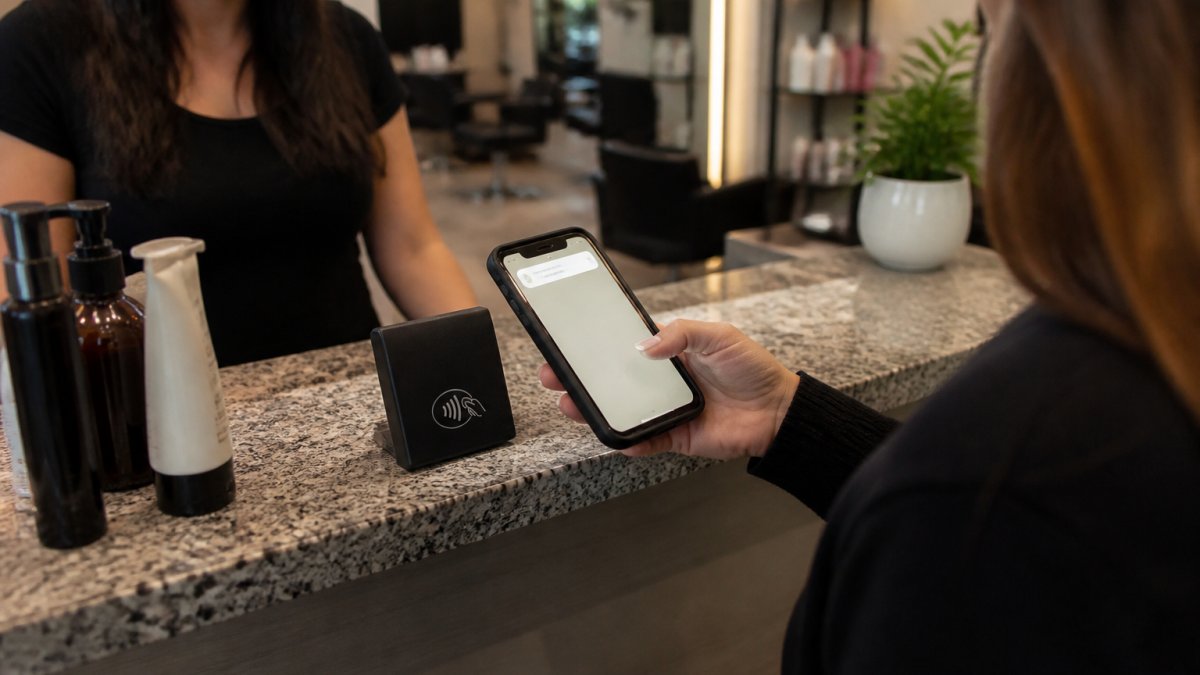
How does it work? The card uses NFC (Near Field Communication) technology. Your phone's built-in NFC reader picks up the link stored on the card when it gets close enough. No app download or subscription required.
The card is durable and reusable, you can use the same one dozens of times per day. It works with most modern smartphones that have NFC capability (iPhones from iPhone 7 onward, most Android devices). Older phones without NFC won't trigger it, but that's a small share of your customers.
How to Ask Customers for Google Reviews Effectively
Asking for reviews works best when it feels natural, not forced. The card removes the awkwardness of reciting a long web address or expecting someone to remember your business name. But the card is only a tool, how you ask matters just as much.
Timing is everything. Ask right after the service or transaction is finished. If someone just had a great haircut, enjoyed a meal, or left your shop satisfied, that's when they're most likely to say yes.
Keep your request simple and direct: "We'd love to hear about your experience. Just tap this card with your phone if you'd like to leave a review." You don't need a long pitch.
Train your team to present the card confidently. If staff seem uncertain or apologetic, customers pick up on that and are less likely to engage. A brief, friendly ask signals that you genuinely value feedback.
Some businesses offer the card to everyone; others hand it to customers who seem particularly satisfied. Test both approaches. Either way, consistency matters, if only one staff member asks sometimes, you'll capture fewer reviews than if the whole team makes it standard practice.
Alternatives to Paper Review Request Cards
Not every business needs a review card. Understanding the alternatives helps you decide if a card is right for you.
Printed QR codes are the simplest alternative. You print a QR code linking to your Google review page and post it on your counter, receipt, or signage. They're free to generate and require no special technology. The downside: they're passive, and many customers still don't instinctively scan QR codes, so you'll get fewer responses.
Verbal requests work for some businesses, especially with repeat customers. Asking directly, "Would you mind leaving us a Google review?" can be effective in small shops. The challenge is that most people forget, the friction of manually searching and typing is too high.
Email or text follow-ups let you send a review link after the transaction, which works well if you capture contact information at checkout. The downside: emails and texts get buried in inboxes, and response rates are typically lower than in-person requests because days or weeks pass between the service and the message.
Paper review request cards exist, but they're usually printed links or QR codes. They don't offer the tap-to-review convenience of NFC technology.
An NFC review card combines the benefits of these approaches: it's personal, visible, requires minimal effort (one tap), and works with compatible NFC-enabled phones. For businesses that see customers in person regularly, it can be a straightforward way to encourage reviews.
Google Review Card Best Practices for Setup and Placement
Getting the most from your review card starts with setup and placement. A card sitting in a drawer does nothing. A card positioned strategically and presented confidently drives reviews.
Setup: When you order a review card like those from Tapnivo, you'll connect it to your Google Business Profile. The card is encoded with your unique review link before it ships to you. No technical setup is required on your end once it arrives.
Some businesses keep a single card at the main counter. Others order multiple cards so each team member can hand one to customers, which typically leads to more review requests.
Visibility counts. A visible card signals that you care about feedback. If it's hidden under a stack of papers, customers won't think to use it. Keep it accessible and in view.
Train your team. A simple script helps: "We'd love to hear about your experience. Just hold your phone near this card and tap the notification that pops up." Practice it once or twice so it feels natural, not robotic.
Track which team members ask. If one stylist consistently hands out cards and another never does, you'll see the difference in review volume. Encourage less active team members by showing them the results.
Consider durability. NFC cards are reusable. If you use yours frequently, a backup card is worth ordering.
Google Review Request Scripts That Actually Work
What you say matters. Here are a few approaches that work for different business types.
For salons and spas: "We really appreciate your business. If you loved your experience today, would you mind leaving us a quick Google review? Just tap this card with your phone, it takes about 30 seconds."
For restaurants and cafes: "Thanks for coming in. If you enjoyed your meal, we'd love a Google review. Just tap this card before you leave, it's super quick."
Tapnivo NFC Google Review Card – Tap Your Phone to Leave a Review →
For professional services (dentists, chiropractors, etc.): "We're glad we could help. If you had a good experience, leaving us a Google review really helps other patients find us. Just tap this card with your phone."
For retail and boutiques: "Thanks for shopping with us. We'd love to hear what you think. Tap this card with your phone if you'd like to leave a review, it only takes a minute."
For auto repair and detailing: "Your car is ready. If you're happy with the work, we'd appreciate a Google review. Just tap this card with your phone."
The common thread: they're brief, they acknowledge the customer's time, and they make the action sound easy. You're asking for a quick rating and a sentence or two, not a novel.
Timing variations:
- During the transaction: "Before you go, would you mind tapping this card to leave a review?"
- Handing over the card: "Here's your receipt. If you have a moment, we'd love your feedback on this card."
- At the end of an appointment: "Thanks for coming in. On your way out, feel free to tap this with your phone if you'd like to leave a review."
The key is a direct, personal ask at the moment the customer is most satisfied.
Cost and ROI: Is the Investment Worth It?
Whether a review card makes financial sense depends on your business model and how much you value Google reviews.
The upfront cost: An NFC review card from Tapnivo is a one-time purchase of $40. You're not paying monthly fees or subscription charges.
What you're investing in: A physical tool that makes it easier for customers to leave reviews, not the reviews themselves. Google doesn't allow businesses to pay for reviews, and review cards don't guarantee any specific number of reviews.
Why reviews matter: Businesses with more reviews and higher ratings can improve their visibility in Google local search results. When someone searches for "salon near me" or "dentist in [area]," Google shows results based partly on review volume and rating.
But what matters most is honest reviews from real customers. A review card encourages genuine feedback from people who actually used your business, you're simply making it easier for satisfied customers to share their experience.
Break-even analysis: If a review card helps you capture additional reviews, and those lead to new customers, the $40 investment can pay for itself. A single new customer in most service businesses can generate more than $40 in revenue.
The real question isn't whether the card is expensive. It's whether you're committed to asking for reviews consistently. If your team uses the card regularly and presents it confidently, you'll see results. If it sits unused, you've wasted $40.
Making Your Decision: Key Factors to Consider
Before ordering a review card, ask yourself these questions.
Do you see customers in person? Review cards work best for businesses with face-to-face interactions. If you're entirely online or don't interact with customers at the point of sale, a card won't help.
Is your team willing to ask? A card only works if your staff actually use it. If asking for reviews feels awkward, address that first.
Do you care about Google reviews? If you're not actively trying to build your online reputation, a review card might not be a priority.
Can you commit to consistency? Asking once or twice won't move the needle. Make it standard practice so every satisfied customer is offered the opportunity to leave a review. This requires team buy-in and habit formation.
What's your customer base like? If your customers are mostly older or less tech-savvy, you might worry about NFC adoption. Compatible NFC-enabled phones support NFC, and the process is simple enough that most people can handle it.
Do you have alternatives that work better? Some businesses find email follow-ups, text reminders, or verbal requests work well. If you already have a system generating reviews, adding a card might be redundant.
The decision comes down to whether the effort and cost align with your goals. For most small service businesses, the answer is yes. A $40 card that makes asking for reviews easier and more consistent is a smart investment.
Getting honest customer reviews doesn't require complicated software or expensive marketing campaigns. At Tapnivo, we've built our review cards specifically for small businesses that want a straightforward way to ask for feedback at the moment it matters most, right after a great customer experience. Tapnivo's NFC review cards eliminate the need for customers to search, type, or remember your business name.
Frequently Asked Questions
How do Google review cards work without requiring an app?
Google review cards use NFC (Near Field Communication) technology built into most modern smartphones. When a customer holds their phone near the card, the phone's built-in NFC reader detects the stored link and displays a notification. The customer taps the notification to open your Google Business Profile directly in their browser. No separate app download is needed, the phone's standard NFC capability handles the entire process. An internet connection is required to load your review page.
How long does it take from when a customer taps the card until they can leave a review?
The process is nearly instant. Once a customer taps the card, their phone opens your Google Business Profile immediately (assuming they have an internet connection). They can then navigate to the review section and leave feedback right away. Google may require them to sign into their account first. The review typically appears on your profile within hours, though Google's moderation process may delay visibility slightly depending on their review policies.
What if a customer's phone doesn't have NFC, or they don't know how to use it?
Not all phones support NFC, older devices and some budget models lack the capability. In these cases, staff can offer an alternative: a printed QR code on the card itself, or simply directing the customer to search for your business on Google. The best approach is to have your staff explain the card in person and demonstrate the tap if needed. This turns the card into a conversation starter rather than a self-service tool, which can actually increase the likelihood of getting a review.