
Table of Contents
- Tap to Review Card Alternatives at a Glance
- NFC Review Cards: How Tap-to-Review Technology Works
- How to Get More Google Reviews With the Right Tool
- Google Review QR Code Generator: When a QR Code Makes Sense
- NFC Review Card Best Practices for Busy Front Desks
- What Tap to Review Cards Cost and What You Get Back
- Conclusion
- Frequently Asked Questions
Last Updated: September 25, 2026
Tap to Review Card Alternatives at a Glance
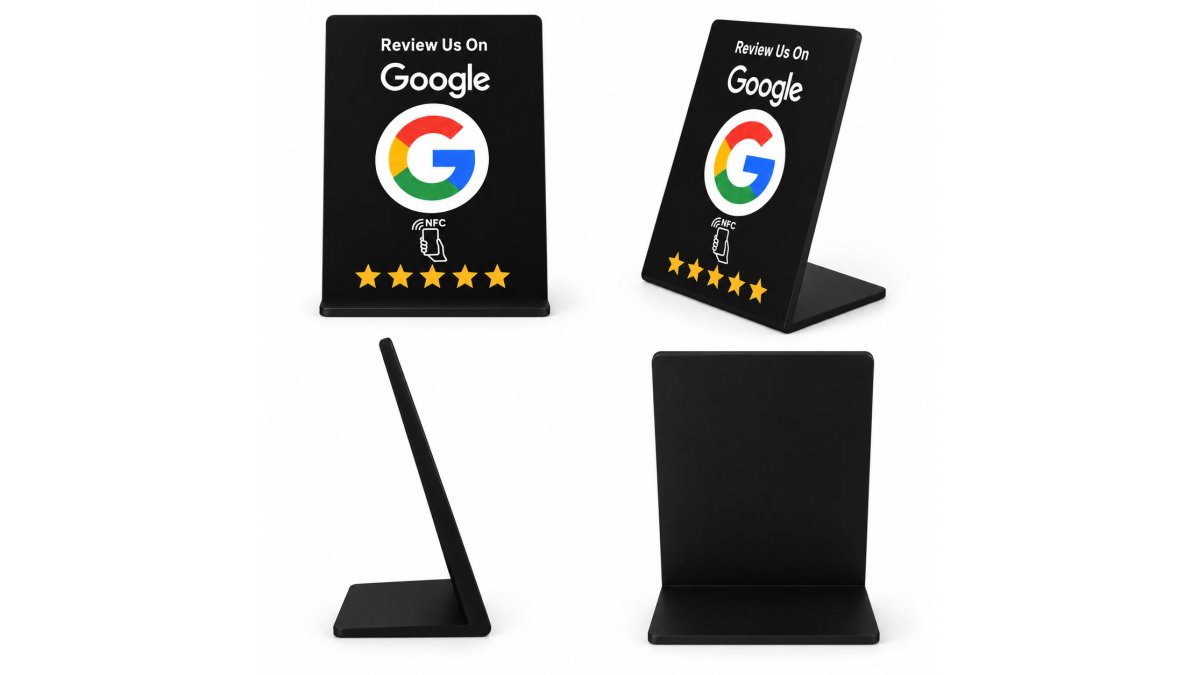
A tap to review card is a physical card or stand with an NFC chip that opens your Google review page when a customer holds a compatible phone near it. Tapnivo builds these cards for small businesses, and this guide compares the realistic alternatives: NFC cards, NFC stands, QR codes, and subscription review platforms.
| Option | Upfront Cost | Ongoing Cost | Best For |
|---|---|---|---|
| NFC review card | One-time purchase | None | Counters, front desks, mobile staff |
| NFC review stand | One-time purchase | None | Checkout counters, tables, reception |
| QR code printout | Free to low | None | Backup, signage, receipts |
| Subscription review platform | Low or none | Monthly fee | Multi-location teams, automation |
NFC Review Cards: How Tap-to-Review Technology Works
NFC stands for Near Field Communication, a short-range wireless standard that lets a phone read a small chip from a few centimeters away (What NFC Does). When a customer holds a compatible phone near an NFC review card, the phone detects a link on the chip and shows a notification. They tap it, and your Google review page opens in their browser.

Smartphone Compatibility and the Tap Experience
Most modern smartphones, both iOS and Android, include built-in NFC reading. The exact spot where the phone reads the chip varies by model: on many phones it sits near the top of the back, on others closer to the center. That's the most common source of confusion at the counter, and a quick demonstration solves it.

Two things to know before you buy:
- An internet connection is required to load the Google page after the tap. The card stores a link, not the page itself.
- Google may ask the customer to sign in before posting a review. That step belongs to Google, not to the card.
How to Get More Google Reviews With the Right Tool
The tool matters less than the moment you use it. Businesses that collect the most reviews ask at the point of sale, while the experience is fresh, and make the ask effortless. Here's how to get more Google reviews without turning your staff into a follow-up call center.
A simple routine works best:
- Finish the service or transaction. Let the customer pay and gather their things.
- Ask out loud, then hand them the card. "If you enjoyed today, would you mind tapping this? It opens our review page."
- Keep the card visible. A stand at the register does the asking even when you're busy.
- Never coach the rating. Ask for honest feedback, not five stars. Coached reviews read as fake and can violate Google's own review policies.
- Thank them either way. Whether they tap or not, the interaction should end warmly.
One-Time Purchase vs. Monthly Subscription Tools
Subscription review platforms charge a recurring monthly fee for automated review requests, multi-location dashboards, and monitoring tools. For a large franchise with dozens of locations and a marketing team, that can be worth it. For a single-location salon or boutique, you're often paying every month for features you'll never open.
Google Review QR Code Generator: When a QR Code Makes Sense
A Google review QR code generator creates a scannable square that links directly to your review page. The workflow is simple once you know the steps.
How to Get Your Review Link and Turn It Into a Code
- Find your review link. In your Google Business Profile, use the "Ask for reviews" option to copy a short review link.
- Paste it into a generator. Any reputable free QR generator will accept the link and produce a downloadable image. Choose a high error-correction level so the code still scans if it gets smudged.
- Test before you print. Scan the code with two different phones, on both iOS and Android, and confirm it opens your review page, not a login screen or a broken link.
- Print at a scannable size. Codes that are too small or placed on curved surfaces fail often. Keep a clear margin and avoid glossy finishes that create glare.
Where QR Codes Fall Short
QR codes are a genuinely good backup. Print one on your receipts, tape one to the register, add one to your window signage. They cost nothing and work on any phone with a camera.
The Hybrid Workflow Most Guides Miss
- Primary ask: an NFC card or stand at the point of sale, offered with a spoken line.
- Fallback: a QR code on the same counter for customers whose phone NFC is switched off, whose case blocks the signal, or who simply prefer scanning.
- Backup of the backup: a QR code printed on the receipt, so the ask survives even after the customer leaves.
Used together, the tap handles the fast, in-person moment and the QR code catches everyone else. Neither replaces a genuine ask, they just make it easier for a happy customer to say yes.
NFC Review Card Best Practices for Busy Front Desks
Placement and staff habits decide whether your card gets used. A card that lives in a drawer or gets buried under receipts collects nothing. Treat it like any other piece of front-desk equipment: it has a home, and everyone knows where it is.
Tapnivo NFC Google Review Card – Tap →
- One card per interaction point. Checkout counter, reception desk, and each service station if staff move around.
- Demonstrate the tap once. Hold your own phone to the card in front of the customer. Most people copy what they just saw.
- Wipe it down. Cards sit where hands and spills live. A quick clean keeps the surface readable and the card presentable.
- Test it weekly. Tap it yourself, confirm the review page still loads, and check that your Google Business Profile link hasn't changed.
Troubleshooting Common Tap Issues
When a tap doesn't work, it's almost always one of four things:
- Phone position. The NFC reader location varies by model. Try the top of the phone's back, then the center. Most failures are just a phone held in the wrong spot.
- NFC is switched off. Some phones ship with NFC disabled. Check settings, or hand the customer the QR code instead.
- Case thickness. Thick or metal-backed cases can block the signal. Ask the customer to lift the case or try the QR fallback.
- No internet. The tap opens a link, and the link needs a connection to load. Store Wi-Fi or the customer's data both work.
What Tap to Review Cards Cost and What You Get Back
A subscription review tool bills you every month whether you collect one review or fifty. An NFC card is a single purchase that keeps working for as long as the chip does, with no Tapnivo monthly fees attached. That structural difference matters before you pick a tool.
How the Two Pricing Models Actually Differ
Subscription platforms price on seats, locations, or volume of review requests sent, so your bill scales with your growth, more locations, more staff logins, more automated messages all push the recurring charge up. You're renting access to software, and the moment you stop paying, the automation stops.
A Simple Payback Framework
Instead of guessing, run your own numbers:
- Your current monthly subscription spend, if you already pay for a review platform.
- How many of those features you actually open in a typical month. Most single-location owners use one or two.
- How many reviews you realistically collect at the counter in a week.
If you're paying monthly for features you never touch, the card pays for itself the first month you cancel. If you genuinely run automated campaigns across multiple locations, the subscription earns its keep. The framework, not a fixed number, should drive the decision.
What You're Really Buying
Neither option guarantees reviews, and neither should. What they do is remove the friction that stops a happy customer from following through. The review itself stays entirely in the customer's hands, the only kind worth collecting.
Conclusion
Getting customers to leave reviews isn't a technology problem, it's a friction problem. The business that makes the ask easy at the right moment collects feedback; the one that relies on customers remembering a link later usually doesn't.
Frequently Asked Questions
Do I need an app to use NFC review cards?
No separate app is required for the customer. A compatible phone reads the tap to review card using its built-in NFC reader, then shows a link notification the customer taps to open your Google review page. The business sets up the card once by linking its Google Business Profile at checkout. An internet connection is needed for the review page to load, and Google may ask the customer to sign in before posting.
How do NFC review cards compare to traditional QR code signage?
Both remove the need to type a long link. A QR code requires the customer to open their camera or a scanner app, frame the code, and tap a pop-up. An NFC card skips those steps: the customer holds the phone near the card and taps the notification that appears. QR codes still work well on printed menus and window decals, while NFC cards suit checkout counters and reception desks where a staff member hands the card over.
Are one-time purchase NFC cards better than subscription-based review tools?
It depends on what you need. Subscription platforms often bundle review monitoring, automated requests, and analytics, but the monthly cost adds up over years. A one-time purchase card like the Tapnivo NFC Google Review Card at $50 has no monthly fees and no app for customers to download. If your main goal is capturing reviews in person at the counter, a one-time card usually costs less over time.
How can I increase Google reviews without using physical cards?
You can paste your Google review link into follow-up emails, text messages, or receipts. Some businesses add a QR code to table tents or window decals. The trade-off is timing: digital follow-ups arrive hours or days after the visit, when the experience is less fresh. A physical tap to review card keeps the ask in the moment, which is why many salons, restaurants, and service shops pair both approaches.