
Table of Contents
- Why Google Reviews Matter for Salon Search Visibility
- What You'll Need Before You Automate Google Review Requests
- Step 1: Set Up Your Google Business Profile Review Link
- Step 2: Build an Automated Review Request Flow After Each Appointment
- Step 3: Use NFC Review Cards for Salons at the Front Desk
- Step 4: Salon Google Review Templates for Text and Email
- Step 5: Best Practices for Salon Reviews and Staff Training
- Common Mistakes to Avoid When Automating Review Requests
- Frequently Asked Questions
Last Updated: September 28, 2026
Why Google Reviews Matter for Salon Search Visibility
Google reviews are one of the strongest trust signals a salon can have. When someone searches for a salon nearby, Google tends to surface businesses with steady, recent reviews, fresh feedback looks active, while reviews from two years ago look abandoned. Most clients want proof that other people sat in your chair and left happy, and reviews provide it before anyone picks up the phone.
So how do you automate google review requests for salons without turning it into a second job?

What You'll Need Before You Automate Google Review Requests
Before you build any automated flow, you need four things in place. Skipping them is the most common reason salon owners give up halfway through.
- A verified Google Business Profile with your correct name, address, and phone number
- Your direct review link from that profile
- A booking or POS system that stores client phone numbers and emails
- A way to ask in person, like a counter card or stand
Step 1: Set Up Your Google Business Profile Review Link
Your review link is the foundation of every automated request. Find it once, save it, and reuse it everywhere:
- Sign in to your Google Business Profile
- Open the "Ask for reviews" section
- Copy the short link Google provides
- Save it somewhere your whole team can reach, like a shared note or your booking software
Step 2: Build an Automated Review Request Flow After Each Appointment
An automated flow sends your review request at the right moment without you remembering to do it, usually a few hours after the appointment.
- Client checks out and the appointment is marked complete
- Your booking software waits two to four hours
- It sends a text or email with your review link
- If there is no response, it sends one gentle reminder after 48 hours
- Then it stops
The Low-Code Path (No New Booking Software Required)
You do not have to migrate your whole booking system just to send a review text. Tools like Zapier and Make can sit between the software you already use and the messaging tool you already pay for.
- Trigger: "New completed appointment" or "New paid invoice" in your booking or POS system
- Filter: Appointment status equals completed, and client has a phone number or email on file
- Delay: Wait 2-4 hours (Zapier calls this "Delay Until" or "Delay For"; Make calls it "Sleep")
- Action: Send SMS or email with your review link merged in
- Second delay: Wait 48 hours
- Conditional action: If no reply or no click, send one reminder, then end the workflow
A few practical notes:
- Match your field names first. Pull one test appointment through the trigger and check exactly what the booking system calls the client's first name and phone number. Merged messages that say "Hi ," are the fastest way to look automated.
- Use a real SMS tool, not a personal phone. Twilio, SimpleTexting, and similar services give you a business number, opt-out handling, and delivery logs.
- Respect quiet hours. A review request that lands at 10:45 p.m. reads as spam even if the client loved the cut.
- Keep the message under 160 characters so it does not split into two texts.
- Test with your own number first. Run the whole flow end to end before a single client sees it.
| Timing | Action | Why It Works |
|---|---|---|
| At checkout | Verbal ask plus card on counter | Catches the client while they are happy |
| 2-4 hours later | Automated text with review link | Client is home and relaxed |
| 48 hours later | One reminder only | Catches the forgetful, avoids annoyance |
| After that | Stop | Protects the relationship |
Step 3: Use NFC Review Cards for Salons at the Front Desk
NFC review cards for salons solve the biggest problem with asking: the client has to do almost nothing. They hold their phone near the card, tap the link that pops up, and land on your review page. No typing a web address. No searching for your salon name among similar listings.
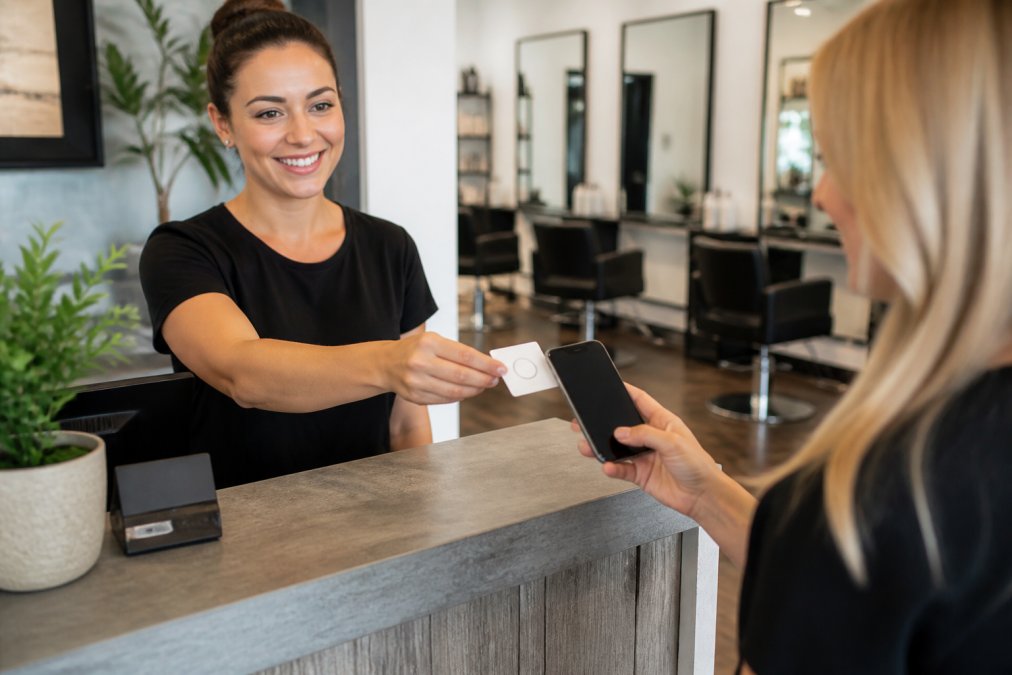
Here is how the tap works:
- You invite the client to share their experience
- They hold a compatible phone near the card
- A link notification appears on their screen
- They tap it and your Google review page opens
- They pick a rating, write what they want, and submit
Step 4: Salon Google Review Templates for Text and Email
Salon google review templates save you from rewriting the same message every day. The best ones are short, warm, and specific to the service.

Text message template:
Email template:
In-person script for the front desk:
Tapnivo NFC Google Review Card – Tap →
Step 5: Best Practices for Salon Reviews and Staff Training
Best practices for salon reviews come down to consistency and honesty. One well-timed ask after every appointment beats a big push once a quarter. But one practice quietly gets salons in trouble: review gating.
What Review Gating Is (and Why It Backfires)
Review gating means screening clients before you ask for a review, only sending the happy ones to Google, and steering unhappy ones to a private feedback form instead. It usually looks like a pre-survey text ("How was your visit? Great / Not great") where only the "Great" answers get the review link.
The Ethical Alternative: Ask Everyone, Route Nothing
The fix is simple: ask every client, every time, and send everyone to the same review link. If a client had a rough visit, that is your chance to make it right, offer to fix it, then let her decide whether to review. A calm reply to a critical review often does more for new clients than ten five-star ratings.
Staff Training: What to Say and What Not to Say
Train your team on three things:
- Ask every client, not just the ones who seem happy. Choosing who gets asked is review gating, and it skews your feedback.
- Keep the ask short. One sentence at checkout is enough.
- Never write reviews for clients. It is dishonest and Google removes them.
Here are scripts your front desk can actually use:
Standard ask: "If you enjoyed your visit today, a quick Google review really helps us out. You can just tap your phone on this card and it opens the page."
Responding to Reviews Is Part of the Job
Reply to reviews, good and bad. A short, specific thank-you on a five-star review signals that a real person is paying attention, and a professional reply to a critical review does the same thing, only louder. Assign one person, usually the owner or manager, to check and respond weekly.
Common Mistakes to Avoid When Automating Review Requests
The biggest mistake is asking too often. Two messages per visit is plenty; more than that and clients feel used.
Other pitfalls that cost salons reviews:
- Sending the request days later. The client has moved on. Send within a few hours.
- Using a long, messy link. Short links get more taps.
- Forgetting to ask in person. The automated message works better when it follows a spoken request.
- Ignoring negative feedback. A reply shows you care. Silence looks like you do not.
- Promising incentives. Offering a discount for a review breaks Google's rules and puts your listing at risk.
Frequently Asked Questions
How can I automate asking for Google reviews at my salon?
Start by claiming your Google Business Profile and copying your review link. Set up a text or email follow-up that sends that link a few hours after each appointment, when the visit is still fresh. Add an NFC review card at your checkout counter so walk-in clients can tap their phone and open your review page without typing anything. Together, these steps automate the ask without making it feel robotic.
Is review gating illegal under FTC guidelines?
Review gating means filtering customers so only happy ones get the review link, which the FTC treats as deceptive under its rules on endorsements and reviews. The safer approach is to ask every customer for honest feedback and let them decide what to write. You can still make leaving a review easy with a tap-to-review card, but you should not screen people based on how satisfied they seem.
How do NFC cards help automate the review process?
NFC review cards for salons store your Google review link on a chip inside the card. A customer holds a compatible phone near the card, taps the link notification that appears, and lands on your Google page. There is no app to download and no business name to search for. You can keep the card at the front desk and reuse it for every client, which removes the step where most people forget to leave a review.
Should I automate review replies or keep them personal?
Automation works best for the initial ask, not the reply. Templates can draft a starting point, but every response should mention something specific from the review, like a stylist's name or a service the client mentioned. Personal replies show future customers that you read feedback and care about service quality. Use automation to remind yourself to respond quickly, then write the reply yourself.