
Table of Contents
- Why Timing Matters for Customer Feedback
- The Peak-End Rule: Capturing the Moment of Delight
- How to Ask for Google Reviews Without Being Pushy
- Best Days and Times for Review Requests
- Customer Feedback Request Templates You Can Use
- Automating Customer Feedback Requests
- Managing Feedback Fatigue and Response Rates
- Conclusion
- Frequently Asked Questions
Last Updated: October 5, 2026
Why Timing Matters for Customer Feedback
The moment a customer walks out your door, you start losing your chance to ask for feedback. Wait days or weeks and their experience fades from vivid to vague. Honest, detailed reviews come from catching people while the experience is still fresh.
Timing also affects whether customers respond at all. A request that comes too late feels like an afterthought; one that lands at the right moment feels natural. "I'll ask tomorrow" often means silence instead of reviews.
This guide covers the best time to ask for customer feedback and why it matters, plus the practical moments and tools that make asking easier.
The Peak-End Rule: Capturing the Moment of Delight
The peak-end rule is a psychological principle about how people remember experiences: they recall the peak moment and the ending, not the average of everything in between. That means your final interaction with a customer matters more than you think.
A good haircut with a rushed checkout sours the memory. A relaxing massage where no one asks how you feel feels incomplete. The reverse is also true: solid service plus a warm goodbye and a simple feedback request can become the peak moment itself.
Asking at the end creates a positive final touchpoint. It shows you care about their opinion and gives them a chance to share what went well, and that interaction often becomes the memory they keep.
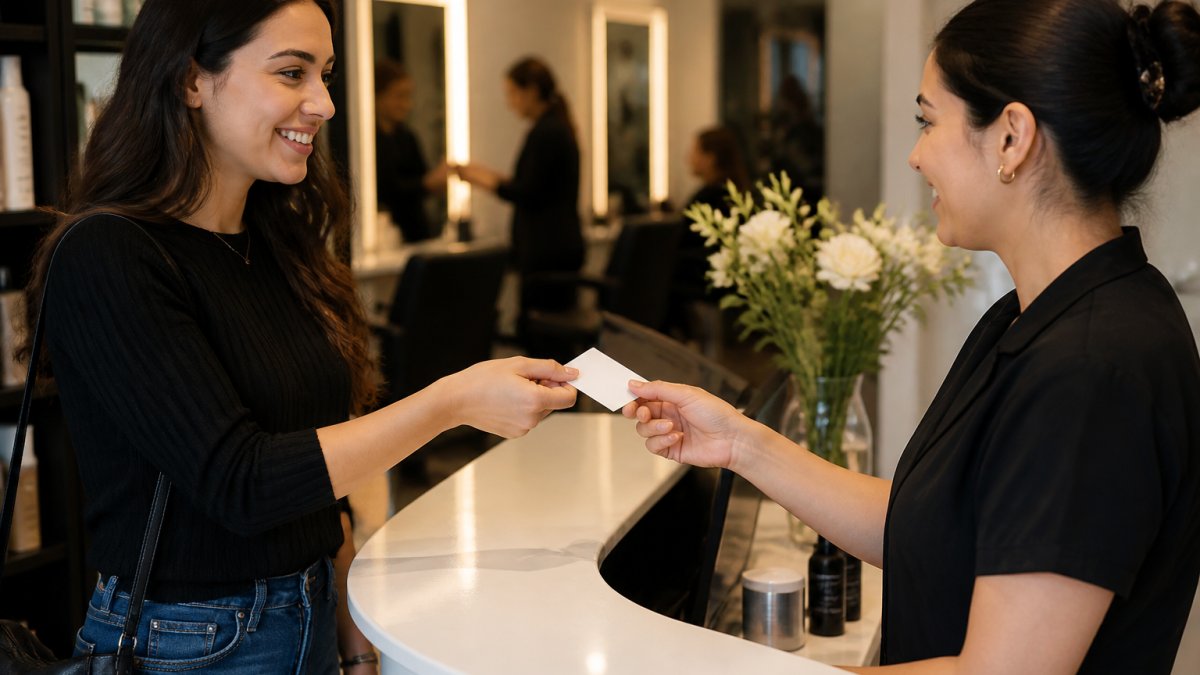
The best time to ask for customer feedback is when they're about to leave or just finished paying. The service is complete, they're satisfied, and they haven't moved on yet. A simple, friendly request feels like a natural part of saying goodbye.
How to Ask for Google Reviews Without Being Pushy
Asking for reviews doesn't have to feel like a sales pitch. Make it easy and optional. Pressured customers ignore the request or leave a negative review out of spite; respected customers are more likely to share honest feedback.
Start with a simple, genuine request: "We'd love to hear about your experience. If you have a moment, would you mind leaving a review on Google?" That respects their choice, unlike "You have to leave us a review" or "Everyone leaves us five stars."
Make the process frictionless. Typing your business name, finding your Google listing, and navigating to the review button takes time most customers won't spend. Friction kills response rates; removing it is how you get more reviews.
Physical tools like NFC review cards eliminate that friction. A customer taps their compatible phone on the card and your Google review page opens instantly, no typing, no searching, no confusion. Tapnivo's NFC Google review cards work exactly this way.

Tone matters. "We'd appreciate your feedback" acknowledges their effort; "Leave us a review" sounds demanding. Small word choices decide whether customers feel respected or pressured.
Best Days and Times for Review Requests
Generic advice like "ask after service" misses how much timing windows shift by industry. A dental office and an e-commerce store have almost nothing in common when it comes to customer receptiveness. Here's a practical timing matrix you can adapt.
| Industry | Best Day(s) | Best Time Window | Why It Works |
|---|---|---|---|
| Salons & Spas | Friday-Saturday | 2-5 PM | Customers are relaxed, heading into weekend, not rushed |
| Restaurants | Friday-Sunday | 30 min after meal ends | Satisfaction is peaked, customer is still seated |
| Dental & Medical | Tuesday-Thursday | Immediately after appointment | Memory is fresh, patient hasn't left the building |
| Home Services | Same day as service | 1-2 hours after technician leaves | Customer has inspected the work, still thinking about it |
| Retail | Saturday-Sunday | At checkout | Purchase dopamine is highest, customer is happy |
| B2B SaaS | Tuesday-Thursday | 10 AM-2 PM | Decision-makers are at their desks, not in meetings |
| E-commerce | Sunday-Monday | 7-9 PM | Customers are relaxed, reviewing purchases from the weekend |
These windows reflect when customers are most likely to be in a positive mood with a few minutes to spare. Since the final interaction shapes the memory, the request should land while the customer is still enjoying the afterglow.
For salons and spas, Friday and Saturday afternoons are gold, customers are relaxed and heading into the weekend. Weekday early mornings are weaker because customers are rushed.
For restaurants, the sweet spot is after the meal but before they leave, satisfied, relaxed, and still seated. Asking while they're eating or waiting for the check feels intrusive.
For dental or chiropractic offices, right after the appointment ends works best. The care is fresh in the patient's mind and they haven't reached their car yet, the peak moment.
For retail, the moment after purchase at checkout is ideal. The customer just bought something they wanted and that positive feeling makes them more willing to share feedback.
For B2B SaaS, you're catching someone after they've used the product and seen results. Requests sent Tuesday through Thursday, 10 AM to 2 PM, perform better because decision-makers are at their desks. Avoid Monday mornings and Friday afternoons.
For e-commerce, Sunday or Monday evening often works best, customers are relaxed and reviewing weekend purchases. Waiting 24-48 hours after purchase gives them time to receive the product and form an opinion.
Avoid asking when customers are rushed or frustrated. If something went wrong, ask only after you've addressed it, a request after service recovery can actually strengthen the relationship.
Customer Feedback Request Templates You Can Use
Simple, warm requests beat complicated ones. Here are templates you can adapt.
For in-person requests:
"We really appreciate your business. If you have a moment, we'd love to hear about your experience on Google. Just tap your phone on this card, and you can leave a review."
For text or email follow-ups:
"Thank you for visiting us today. We'd love to know what you thought of your experience. Here's a link to leave a review on Google: [your Google business link]. Thanks for taking a moment."
For follow-up after a few days:
Tapnivo NFC Google Review Card – Tap Your Phone to Leave a Review →
"We hope you're enjoying your [service/product]. We'd be grateful if you'd share your experience with others on Google. It helps us improve and helps new customers find us."
For service recovery:
"We're sorry we didn't get it right the first time. We've made changes based on your feedback. If you'd like to try us again, we'd love the chance to earn your trust. And if you do, we'd be grateful for a review."
Keep it short, long messages get skipped. Two sentences beat two paragraphs. Make the ask clear and optional, and give them a reason to respond without making them feel obligated.
Automating Customer Feedback Requests
Manual requests work, but automation ensures you don't miss anyone. Automated systems send requests at the right time without requiring staff to remember.
Email automation is simplest: a workflow sends a review request a few hours after a purchase or appointment, while the experience is still fresh. Customers respond at their own pace.
SMS automation works even faster. Texts have higher open rates than email, so a short message right after checkout, "We'd love your feedback. Tap here to review us on Google", gets more responses.
Automated workflows also let you segment by customer type, new versus repeat customers, or a service recovery message before the review request. That personalization increases response rates.
The downside is automation feels less personal. A warm in-person request often beats an automated email, but automation ensures consistent follow-up and catches customers you'd otherwise forget.
The best approach combines both. Ask in person when you can. Use automation to catch the rest. This way, no customer falls through the cracks.
Managing Feedback Fatigue and Response Rates
Asking too often kills response rates, and not just from annoyance. When customers feel used as a review-generation tool rather than valued as people, they disengage. Understanding the psychology behind feedback fatigue helps you avoid it.
The reciprocity principle explains why some requests work and others backfire. Give something first, a warm goodbye, a thank-you, a moment of care, and customers feel a subtle pull to reciprocate, which is why asking right after a positive interaction works.
The peak-end rule plays a role too. A warm goodbye followed by a gentle ask keeps the memory positive; a third follow-up email demanding a review sours it.
So how often should you ask? Once per customer per visit or purchase. A follow-up a week later might work for high-value services, but a third ask usually backfires, the customer feels harassed, not valued.
Channel matters too. Vary your requests, mix email, text, in-person asks, and physical cards.
Segmenting customers helps you avoid fatigue. New customers might get a different message than repeat customers, and customers who had issues might get a service recovery message first. This personalization increases response rates and reduces the feeling of being spammed.
Watch your response rates over time. Dropping rates mean you're asking too often or at the wrong moment; rising rates mean you've found a good rhythm. A simple spreadsheet or your CRM can help you spot patterns.
Some customers will never leave reviews. That's okay. Focus on the ones who will. Pushing the unwilling wastes effort and damages relationships. A warm request and an easy path is all you can do.
Quality matters more than quantity. Five honest reviews from satisfied customers beat twenty from people who felt pressured, so focus on earning genuine feedback.
If you're using NFC review cards like Tapnivo's, the tap itself feels like a gift rather than a demand, a quick, low-pressure way to share feedback that doesn't feel like work. Learn more about how the cards work.
Conclusion
Getting honest customer feedback starts with timing. Ask right after the service ends, when the experience is fresh and the customer is satisfied, and remove friction so responding is easy. A simple, warm request beats a pushy one every time.
Automating requests ensures consistency without burdening your team, but nothing beats asking in person when you can. Personal touch plus systematic follow-up drives the best results.
Tapnivo's NFC review cards remove the friction that stops customers from leaving reviews. A single tap opens your Google review page. No typing. No searching. Just an easy way to share feedback. Get started with Tapnivo and make asking for reviews part of your everyday customer experience.
Frequently Asked Questions
Should I ask for feedback immediately after a service or wait?
Ask immediately after service completion, while the customer experience is still fresh. Waiting hours or days significantly reduces response rates and feedback quality. For best results, make the request part of your checkout or departure process.
How do I ask for a review without sounding desperate?
Frame the request as a genuine invitation, not a demand. Use phrases like 'We'd love to hear about your experience' or 'Your feedback helps us improve.' Keep it brief and conversational. Avoid language that implies you expect five stars or implies urgency. A simple, professional approach, like handing a customer an NFC review card, feels natural and respects their choice.
What's the difference between asking for feedback and asking for a Google review?
Feedback is broad input about any aspect of your service. A Google review is a specific, public rating and written comment on your Google Business Profile. For online reputation and customer sentiment tracking, Google reviews are more valuable because they build social proof and influence search visibility. You can gather general feedback through surveys, but prioritize Google reviews for business growth.
How can I make it easier for customers to leave a review?
Reduce friction by providing a direct path to your review page. An NFC review card eliminates the need for customers to manually search for your business or type a long URL. Customers simply tap their compatible phone on the card, and your Google review page opens instantly. This method captures feedback while the customer is still present and in a positive frame of mind, leading to higher response rates.