
Table of Contents
- Why Customers Hate Annoying Review Requests
- The Right Timing and Frequency for Asking
- Google Review Request Templates That Work
- Best Practices for Google Reviews: Subtlety and Personalization
- NFC Review Cards for Business: A Low-Pressure Alternative
- Measuring What Works and Testing Your Approach
- Handling the Awkward Moments
- Frequently Asked Questions
Last Updated: October 7, 2026
Why Customers Hate Annoying Review Requests
Most businesses ask for reviews the wrong way. They send generic emails, pop up intrusive notifications, or corner customers with aggressive pitches. The result? Customers feel pressured, annoyed, or ignored.
The problem isn't that you're asking. It's how you're asking.
When a request feels like a sales tactic instead of a genuine invitation, people push back. They delete emails without reading them. They ignore notifications. They leave without tapping a link. You end up with fewer reviews, not more, and the ones you do get may reflect frustration rather than honest feedback.
Here's what customers actually want: a simple, respectful way to share their experience if they choose to. No manipulation. No pressure. Just an easy option at the right moment.
When you remove friction and respect customer choice, honest feedback flows naturally.
This guide covers exactly how to ask for reviews without being annoying. You'll learn the timing that works, templates that feel genuine, and tools that make the process effortless for both you and your customers.
The Right Timing and Frequency for Asking
Timing matters more than most businesses realize. Ask too soon and customers haven't formed an opinion. Ask too late and they've forgotten the experience. Ask too often and they feel harassed.
The sweet spot is right after the transaction or appointment ends. When a customer leaves your salon, finishes their meal, or walks out of your shop, they're thinking about what just happened. That's your moment.
Here are practical windows by business type:
- Salons, barbershops, and spas: Ask in person before they leave, or send a text or email within 2-4 hours while the experience is fresh.
- Restaurants and cafes: A QR code or NFC card at the table or counter works best. For email follow-up, send within 24 hours.
- Retail: Ask at checkout, or send an email within 24-48 hours.
- Professional services (dentists, accountants, contractors): Ask when they schedule their next appointment, or send an email within 1-2 days of the visit.
- Home services: Send a text or email the same day or the next morning, once the work is complete and the customer has had a chance to see the result.
Frequency matters just as much. Ask once per customer per visit, and send at most one reminder if they don't respond. More than that crosses into annoying territory fast.
A good rule: one genuine request per customer per visit, delivered respectfully at the moment they're most satisfied. If they don't respond to the first ask or the one reminder, let it go. They may review next time, or they may never review, and that's okay.
Respect opt-outs. If a customer unsubscribes from emails or replies STOP to a text, remove them from future review requests immediately. Keeping your list clean protects your business and your reputation.
Also think about channel preference. Some customers prefer a quick text, others ignore texts but read email, and many would rather tap a card or scan a QR code without any personal follow-up at all.
If you want a timing-friendly option that requires no follow-up at all, Tapnivo's NFC Google review cards let customers tap and review on their own schedule. You can see how they work at https://tapnivo.co/products/nfc-google-review-cards.

Google Review Request Templates That Work
Generic templates feel impersonal and often get ignored. Your best templates are direct, brief, and honest about why you want the review.
Here are ready-to-use templates for the most common channels. Swap in your business name and review link, and keep the tone conversational.
In-person (spoken at checkout or end of appointment): "We'd love to hear about your experience.
That's it. Short, genuine, no pressure. If they hesitate, add: "No worries either way, thanks for coming in."
Email (for follow-up): Subject: Thanks for visiting [Business Name]
"Hi [Name], thanks for coming in today. If you have a moment, would you share your experience on Google?
Text message (only if you have explicit permission to text): "Thanks for visiting [Business Name]!
QR code or NFC card (placed at checkout or on a receipt): "Happy with your visit? Tap or scan to leave a Google review. Thank you!"
For regular customers (personalized touch): "You've been coming to us for [time period]. If you've enjoyed your experience, we'd be grateful if you'd share your thoughts on Google.
Follow-up (one reminder only, 3-5 days later): "Hi [Name], just a quick reminder, if you have a moment, we'd still love your Google review. Here's the link: [link].
A few rules keep these templates from crossing into annoying territory:
- Ask once, then send at most one reminder. More than that feels like pressure.
- Never offer discounts, free items, or gifts in exchange for a review. That violates Google's review policies and can get reviews removed.
- Don't ask only happy customers or filter out unhappy ones. Review gating is against platform rules and undermines trust.
- Always include an easy way to decline or opt out, especially for texts and emails.
- Keep the review link direct. A link that opens the review box immediately converts better than a link to your homepage.
People respond to authenticity. They ignore corporate-speak. A short, honest ask with a clear opt-out is the least annoying template of all.
Best Practices for Google Reviews: Subtlety and Personalization
The most effective review requests feel almost invisible. They're woven into the natural flow of the customer interaction, not tacked on as an afterthought.
Tapnivo NFC Google Review Card – Tap Your Phone to Leave a Review →
Personalization works. Using someone's name, referencing something specific about their visit, or acknowledging their loyalty makes the request feel genuine rather than automated. "Thanks for being a regular here, we'd love your review" hits different than "Please leave a review."
Timing within the interaction matters. Don't ask while the customer is still paying or in a rush. Ask when they're relaxed and satisfied. If they seem unhappy, don't ask at all. A negative review from a frustrated customer doesn't help you.
Make it easy. The easier you make it, the more people will do it. If you hand them a card, a link, or a QR code that takes them directly to your Google review page, more people will follow through than if you just mention it verbally.
Respect the no. If someone says they'd rather not, accept it gracefully. Pushing back or making them feel guilty guarantees they won't review, and they'll tell others about the bad experience.
Ask consistently, not desperately. Build review requests into your normal routine. Make them part of how you close every transaction. This removes the awkwardness and makes it feel natural to both you and the customer.
NFC Review Cards for Business: A Low-Pressure Alternative
NFC cards offer a way to ask for reviews that feels less pushy than a direct request. Customers can tap the card with their phone, and it opens your Google review page instantly.
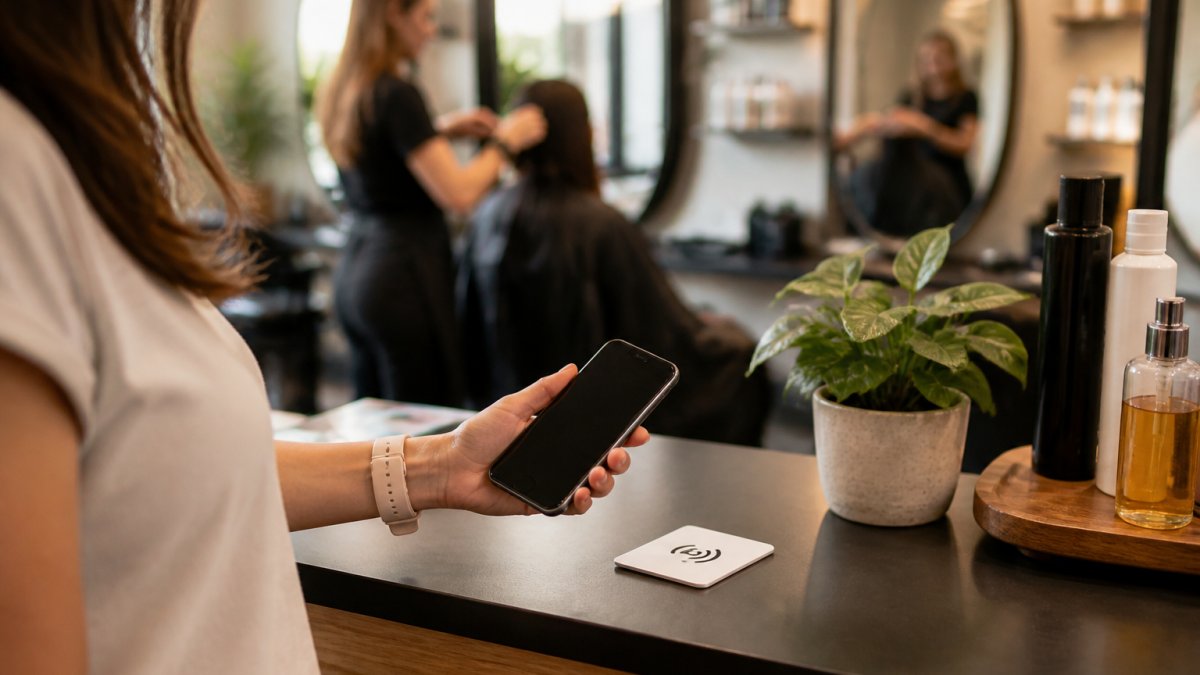
The beauty of this approach is that it puts the choice entirely in the customer's hands. You're not asking them directly. You're simply offering an easy option. Some will tap it. Some won't. And that's okay.
Tapnivo's NFC Google review cards work exactly this way. Customers tap a compatible phone on the card, a notification appears, they tap the notification, and they're taken straight to your Google review page. No app download. No subscription fee.
The card approach works particularly well for businesses with high customer volume. Instead of trying to personally ask every customer, you place a card at the checkout or on your front desk.
For salons, barbershops, restaurants, and retail shops, this removes the awkwardness entirely. Customers who want to leave a review can do so on their own terms. Customers who don't want to aren't put on the spot.
Measuring What Works and Testing Your Approach
You won't know what's working unless you track it. Set a baseline: how many reviews are you getting right now, and from what sources? Then implement one change at a time and measure the results.
If you start using Tapnivo cards, track how many reviews you get in the month after you place them. If you switch to a new email template, note the difference in responses. If you change your in-person pitch, pay attention to how many customers actually follow through.
The goal isn't to hit a specific number, it's to understand what resonates with your customers. Maybe your customers prefer in-person asks. Maybe they respond better to text. Maybe the NFC card approach works well because it removes pressure entirely.
Test one variable at a time. Change your timing, measure the results. Change your template, measure again. Over weeks and months, you'll develop a clear picture of what drives honest reviews from your specific customer base.
Also track the quality of reviews you're getting. More reviews don't matter if they're angry or generic. You're looking for honest, specific feedback that actually reflects the customer experience. That's the real win.
Handling the Awkward Moments
Sometimes asking for reviews creates uncomfortable situations. A customer seems annoyed. Someone says no. A regular customer hasn't left a review and you're not sure whether to ask again.
If someone seems annoyed: Don't push. Acknowledge their reaction and move on. "No problem at all, we appreciate you coming in." This leaves the door open for future interactions without creating tension.
If someone says no directly: Accept it immediately. "No worries! Thanks anyway." People sometimes need time before they're comfortable reviewing. A graceful no today might become a yes next visit.
For regular customers who haven't reviewed: You can ask, but frame it differently.
If a customer leaves a bad review: Don't ignore it. Respond professionally and briefly. "We're sorry you had that experience. We'd love the chance to make it right. Please reach out directly." This shows other potential customers that you take feedback seriously.
The awkward moments usually pass quickly if you stay calm and respectful. Most customers appreciate honesty and aren't bothered by a simple, genuine ask.
Asking for reviews doesn't have to feel pushy or awkward. When you respect customer choice, time your requests thoughtfully, and make the process easy, honest feedback comes naturally.
Frequently Asked Questions
What is the best time to ask a customer for a review?
Ask immediately after the service or purchase, while the experience is fresh and the customer is still in a positive mood. For service businesses like salons or dental offices, request the review as the customer checks out or schedules their next appointment. For retail, ask at the point of sale. Avoid asking when the customer appears rushed, frustrated, or distracted. The goal is to catch them when satisfaction is highest and they have a few seconds to spare.
How do I politely ask for a review without sounding desperate?
Frame the request as a genuine invitation, not a demand. Use language like 'If you enjoyed your experience, we'd love to hear about it' or 'Your feedback helps us improve.' Keep it brief, one or two sentences. Offer multiple ways to leave a review (email link, NFC card, QR code) so customers can choose what's easiest. Make the request feel optional and low-stakes. When you sound confident in your service, not desperate for validation, customers respond better.
Can I ask for reviews on Google, or is that against the rules?
Yes, you can ask customers to leave reviews on Google. Google's policies permit businesses to request reviews, as long as you don't incentivize them with discounts, prizes, or payment. You also cannot write reviews for customers or ask them to write only positive reviews. Keep requests honest and straightforward: invite customers to share their genuine experience, whatever that may be. This approach builds real trust and keeps you compliant with platform guidelines.
How can I make it easier for customers to leave a review?
Reduce friction at every step. Instead of asking customers to search for your business name, provide a direct link via email, text, or a physical card. NFC review cards eliminate typing entirely, customers tap their phone on the card and open your Google review page instantly. Include a clear call-to-action: 'Tap the card to leave a review' or 'Click here to share your feedback.' The easier you make the process, the more reviews you'll collect.