
Table of Contents
- How NFC Review Cards Work for Small Business
- NFC Review Card Setup Guide: From Order to First Tap
- NFC vs QR Codes: Which Fits Your Counter?
- How to Get More Google Reviews With Tap-to-Review Cards
- Google Review Request Templates That Work at the Counter
- Pricing, Bulk Orders, and What You Actually Get
- Troubleshooting, Security, and Honest Limitations
- Conclusion
- Frequently Asked Questions
Last Updated: September 23, 2026
How NFC Review Cards Work for Small Business
NFC review cards for small business are physical cards with a chip inside that opens your Google review page when a customer taps their phone on them. At Tapnivo, we build these cards for shops, salons, and service counters where asking for a review gets forgotten the moment a customer walks out the door. The card solves one problem: it removes the typing.

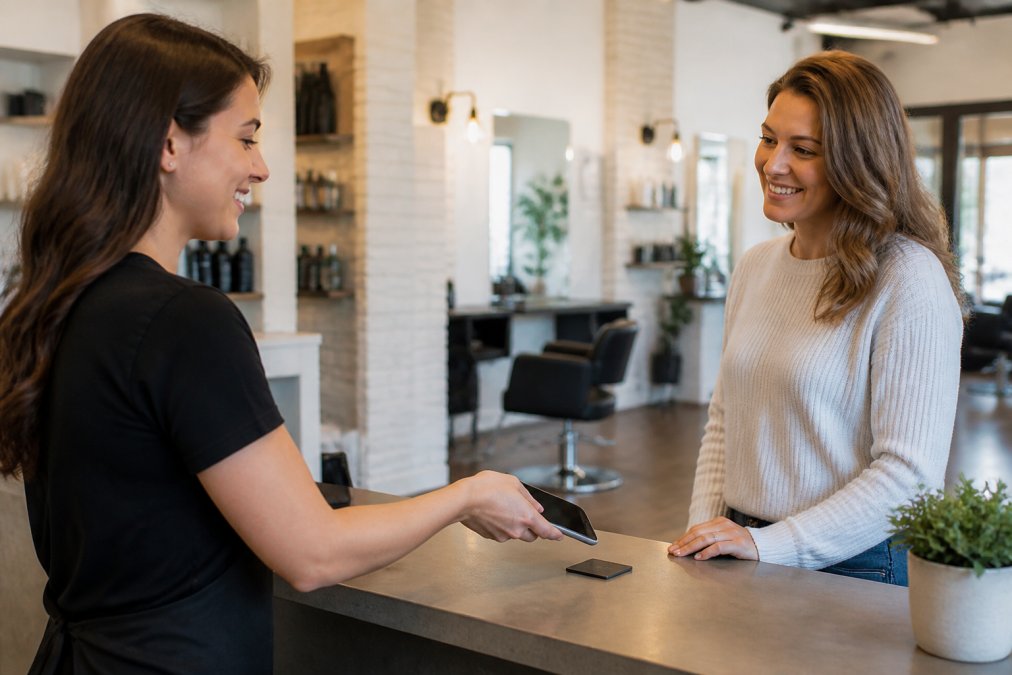
A customer finishes a haircut, pays, and hears, "If you have a second, tap your phone here." That is the whole ask. No link to spell out, no business name to search, no app to download.
What Happens When a Customer Taps
The customer holds a compatible phone near the card. The phone reads the link stored on the chip and shows a notification; tapping it opens your Google review page in their browser. From there, they pick a rating, write what they want, and submit.
Three things worth knowing:
- The customer needs an internet connection to load the page. The card stores a link, not the page itself.
- Google may ask them to sign in before posting. That is Google's process, not the card's.
- The card never writes or posts anything. It only opens the page. The review is entirely the customer's own words.
NFC Review Card Setup Guide: From Order to First Tap
Setup takes one step that matters: linking your Google Business Profile. Everything else is placement and habit.
Linking Your Google Business Profile
When you order from Tapnivo, you provide your Google Business Profile link. We program the card with it. When the card arrives, tap it with your own phone to confirm it opens the right page. That is the entire technical setup.
NFC vs QR Codes: Which Fits Your Counter?
NFC wins on speed; QR codes win on compatibility. That trade-off decides which one belongs on your counter.
| Factor | NFC Card | QR Code |
|---|---|---|
| Customer action | Hold phone near card | Open camera, frame code |
| Works if phone is locked | Yes, notification appears | Usually needs camera app open |
| Older phones | Needs NFC support | Works on almost any smartphone |
| Lighting | Does not matter | Poor light slows scanning |
| Best for | Counters, front desks, one-on-one asks | Printed menus, flyers, windows |
How to Get More Google Reviews With Tap-to-Review Cards
More reviews come from asking more often, not harder. The card's job is to make the ask take five seconds so you actually do it every time.
- Ask every customer, not just the happy ones. Selective asking skews your reviews and feels transactional.
- Keep the ask neutral. "Tap here if you'd like to leave a review" beats "Please give us five stars."
- Never watch over their shoulder. Hand it over, step back, let them write.
- Respond to every review, positive or not. Replies show future customers that you read them.
Where to Place Cards and Stands
Placement depends on where the customer pauses with their phone already out.
- Salons and barbershops: at the checkout counter, next to the card reader.
- Restaurants and cafes: at the register, or on the table with the check presenter.
- Auto detailing and repair: at the pickup desk, where the keys change hands.
- Boutiques: at the fitting room exit or the register, whichever comes last.
- Professional offices: on the reception desk, angled toward the patient.
Google Review Request Templates That Work at the Counter
Here are four that work in real counter settings:
The standard close:
"Thanks so much, [name]. If you have ten seconds, tap your phone right here and let us know how we did."
Handling the Awkward Moments
Most guides stop at the script. The scripts are the easy part. The hard part is the four or five situations that come up every week and quietly kill the habit.
Why the Ask Has to Be Part of the Goodbye
A review request that stands on its own, "excuse me, would you mind leaving us a review?", feels like a favor being asked. One that rides on the end of a goodbye feels like a natural extension of the visit. The card makes that possible by removing the friction that turns a friendly ask awkward: no spelling out a URL, no "search for us on Google," no fumbling with a phone.
The ask works when it is part of the goodbye, not a separate transaction. One sentence, one tap, done, and the awkward moments are handled by not asking, not by asking harder.
Tapnivo NFC Google Review Card – Tap →
Pricing, Bulk Orders, and What You Actually Get
Tapnivo cards are a one-time purchase. The Tapnivo NFC Google Review Card is $25.00, and the Google Review NFC Stand is $39.99. There are no monthly fees and no subscription, the main difference between this and most review software.

What you get:
- A card or stand programmed with your Google Business Profile link
- No separate app for customers to download
- Reusable across every customer interaction, all day, every day
- The option to order a single card or a pack for multiple staff members or locations
Troubleshooting, Security, and Honest Limitations
NFC cards are simple, but not magic, and the questions that come up after a week on the counter are the ones most guides skip. Here is the honest version.
When the Tap Does Not Work
The phone does not respond at all. In order of likelihood: NFC is switched off in settings, the phone is older and does not support NFC, or the customer is holding it against the wrong spot. On iPhone, NFC reading is on by default for most models from the XS onward; on Android it is usually on but can be toggled off under "Connected devices" or "Connections." If a customer's phone does not work, offer the QR code or a text link, the goal is the review, not the tap.
What the Card Can and Cannot Do
This is the part that matters for anyone worried about handing a card to a stranger.
The Skimming Question, Answered Plainly
"NFC skimming" is a real concern in the abstract, but it applies to payment cards and transit passes, not review cards. A review card is a one-way tag: it broadcasts a URL when a phone comes near. It does not broadcast or store payment data and does not initiate any transaction. The worst case is someone taps it and lands on your Google review page, which is the entire point.
The Honest Limitations
No card can make someone leave a review. It removes friction, and friction is usually why people do not bother. If a customer had a bad experience, they will still say so, and that is the point. A card that only produced five-star reviews would be one used dishonestly.
A few other things worth knowing before you buy:
- NFC is not universal. Most phones sold in the last several years support it, but older budget phones and some international models do not. A QR code backup covers that gap.
- The card does not track anything. You will not get a dashboard showing taps versus reviews. For that data, you would need review software, not a card.
- The card does not replace the ask. It makes the ask easier. If nobody says the line, the card sits there.
- Reviews are still subject to Google's policies. A card that opens the review page is fine. One that opens a page pre-filled with five stars is not, and neither is a card used to gate reviews by only handing it to happy customers.
Do not hand the card only to customers you think will leave a positive review. Review gating violates Google's policies and can get reviews removed, and it defeats the purpose of building a reputation that reflects how you actually operate.
Conclusion
Getting reviews consistently is a habit problem, not a technology problem. The businesses that win ask every customer, every time, while the experience is still fresh, and make it take five seconds.
Frequently Asked Questions
Are NFC review cards compatible with all smartphones?
Most newer smartphones have built-in NFC readers, including recent iPhone and Android models. Older phones or budget devices may not support NFC, so it is smart to keep a backup option like a short link or QR code at the counter. Customers do not need to download an app; they just hold a compatible phone near the card, tap the link notification that appears, and their browser opens your Google review page.
Do NFC review cards require a monthly subscription?
Tapnivo NFC review cards are a one-time purchase with no monthly fees or subscriptions. You buy the card or stand once, link it to your Google Business Profile, and reuse it for every customer interaction. There is no separate app to install and no recurring charge, which makes the cost predictable for small businesses that want a simple tool rather than another software bill.
How can I set up an NFC card for Google reviews?
Order your card and provide your Google Business Profile link when checking out. When the card arrives, test it by holding a compatible phone near it and confirming the link notification opens your review page. Place the card or stand at your checkout, reception desk, or table where staff can hand it to customers. No app download or technical setup is needed beyond linking your profile.
Are NFC review cards effective for increasing customer feedback?
They remove the biggest barrier to reviews: remembering your business name and typing it into search. A tap opens your review page directly, so customers can leave feedback while the experience is still fresh. Results vary by business, and no tool can guarantee review counts or ratings. Pairing the card with a spoken request and good timing at checkout gives you the best chance of consistent feedback.